Related Articles

A meta description is one of those small parts of SEO that can make a noticeable difference in how a webpage appears in search results. In my experience, writing a good meta description sounds simple, but creating one that is clear, relevant, keyword focused, and attractive to readers can take more time than expected. This is where free meta description generator tools can be useful.
A free meta description generator can help website owners, bloggers, content writers, and SEO beginners create short descriptions based on a page title, keyword, or topic. Instead of starting with a blank screen every time, I can use a generator to get an initial idea and then improve it according to the actual content of the page.
In this article, I will explain what meta descriptions are, why they matter, how free meta description generator tools work, and what I look for when choosing one.
What Is a Meta Description?
A meta description is a short piece of HTML information that summarizes the content of a webpage. Search engines may display it below the page title in search results.
For example, if I write an article about beginner SEO tips, the meta description might explain what the reader will learn from the article. A good description gives users a reason to click and understand what they can expect after opening the page.
A meta description is not simply a place to put keywords. It should accurately represent the page and provide useful information. I always prefer writing descriptions for real readers first and then making sure the important keyword fits naturally.
What Is a Free Meta Description Generator?
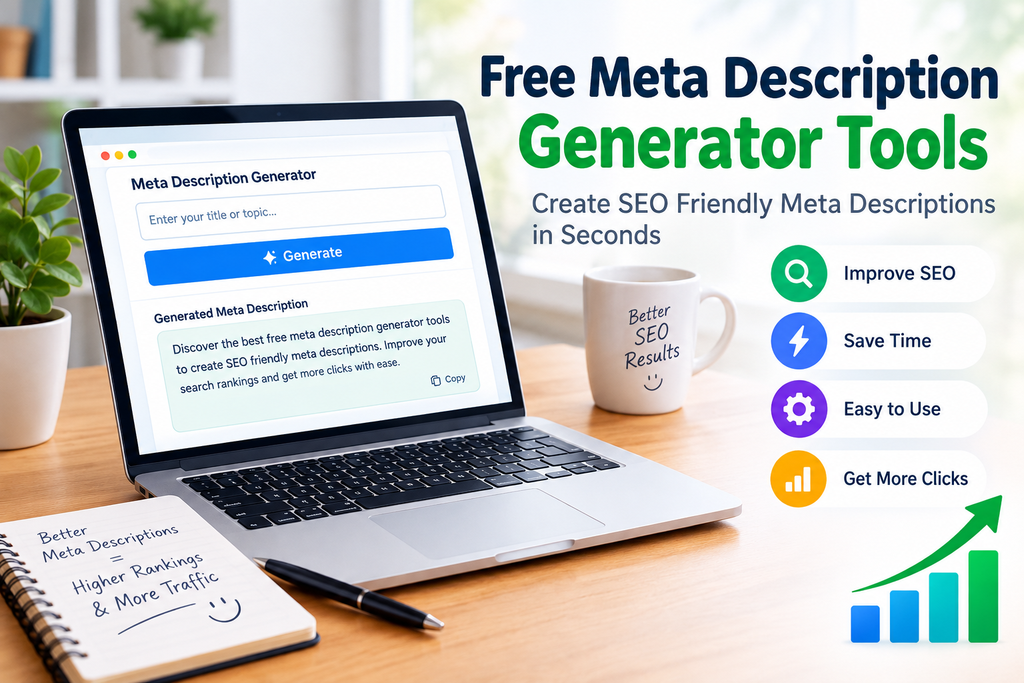
A free meta description generator is an online tool that helps create meta description ideas automatically. Most tools require basic information such as a title, topic, target keyword, or short content summary.
After entering the information, the tool generates one or more suggested descriptions. Some tools also show an approximate search preview so I can see how the title and description may look together.
The biggest advantage is convenience. When I have many articles to publish, creating every description manually can become repetitive. A generator can provide a starting point within seconds.
However, I do not recommend publishing generated text without checking it. The final description should match the actual article and should sound natural.
Why Meta Descriptions Matter for SEO
Meta descriptions are useful because they help communicate the purpose of a webpage to people who see it in search results.
When someone searches for information, they usually see several titles and descriptions. A clear description can help them understand which result is most relevant to their question.
From my point of view, the main benefits include better communication, improved search result presentation, and potentially more clicks when the description is compelling and relevant.
It is important to understand that a meta description is not a simple guarantee of higher search rankings. Search engines can sometimes generate their own search snippet instead of displaying the description provided by the website.
That is why I focus on making the description useful rather than trying to force keywords into it.
Benefits of Free Meta Description Generator Tools
They Save Time
The first benefit I notice is time savings. If I am working on several blog posts, creating descriptions from scratch for every page can slow down the publishing process.
A generator gives me a starting point quickly. I can then edit the result instead of creating everything from zero.
They Help Beginners
SEO can be confusing for beginners. A person may understand how to write an article but have little experience with titles and meta descriptions.
Free meta description generator tools can make this process easier by providing examples and suggested wording.
They Provide New Ideas
Sometimes I know exactly what my article is about but cannot find the right words for the description. A generator can provide alternative wording that I may not have considered.
I can use those ideas to create a better final version.
They Support Keyword Focus
Many generators allow users to enter a target keyword. This can help keep the suggested description related to the main topic.
I still check the keyword placement manually because natural language is more important than repeating the same phrase.
They Are Useful for Content Workflows
For people managing blogs, online stores, or multiple websites, free tools can become part of a regular SEO workflow.
I can prepare the article, identify the main keyword, create a meta description, review it, and then add it to WordPress using an SEO plugin or the site’s SEO settings.
How to Use a Free Meta Description Generator
Using these tools is usually straightforward.
First, I identify the main topic of the webpage. Then I determine the primary keyword or search phrase that represents the page.
Next, I enter the article title, keyword, or summary into the generator. Depending on the tool, I may also have options for tone, audience, or writing style.
After generating the description, I read it carefully. I check whether it actually describes the page. If it contains unnecessary wording or sounds unnatural, I rewrite it.
Finally, I compare it with the page title and make sure both work together.
What Makes a Good Meta Description?
A good meta description should be clear and relevant. I usually focus on a few important points.
The description should explain what the page offers. It should naturally include the primary keyword when appropriate. It should encourage the reader to continue without making exaggerated promises.
I also avoid unnecessary repetition. A description that contains the same keyword several times can look unnatural and may not provide any additional value.
Another important point is accuracy. If the article provides five SEO tips, I should not write a description suggesting that it contains twenty tips.
Honesty is better for both users and long term website quality.
Meta Description Length
One common question is how long a meta description should be.
There is no permanent character limit that guarantees the exact way a search engine will display a description. Search result snippets can vary depending on the device, query, and other factors.
For this reason, I do not try to fill the description with as many words as possible. Instead, I place the most important information near the beginning.
A concise description is easier to read and gives users the main idea quickly.
Free Tools vs Manual Writing
I do not see free meta description generator tools as replacements for human writing. I see them as assistants.
Manual writing gives me complete control over the message. A generator is helpful when I need ideas or want to speed up repetitive work.
For a small website with only a few pages, I may prefer writing descriptions myself. For a larger website with many articles, a generator can save significant time.
The best approach, in my opinion, is to combine both methods. Let the tool provide ideas and let a human make the final decision.
Common Mistakes to Avoid
One mistake is copying the generated description without reading it. Automated text can sometimes contain generic phrases that do not accurately represent the article.
Another mistake is keyword stuffing. A meta description should not look like a list of search terms.
I also avoid writing the same description for multiple pages. Every important page should have a description that reflects its unique content.
Another problem is making unrealistic claims. Words such as best, guaranteed, number one, or perfect should only be used when they are genuinely appropriate.
Finally, I avoid misleading descriptions. Getting clicks through inaccurate information may create a poor experience for visitors.