Related Articles
PDF files are one of the most commonly used document formats today. I personally use PDF files for many different purposes, including study notes, reports, assignments, forms, business documents, and important records. One problem I often notice is that the pages inside a PDF are not always arranged in the order I need. Sometimes a page needs to be moved to the beginning, a few pages need to be swapped, or a section needs to be placed in a different position.
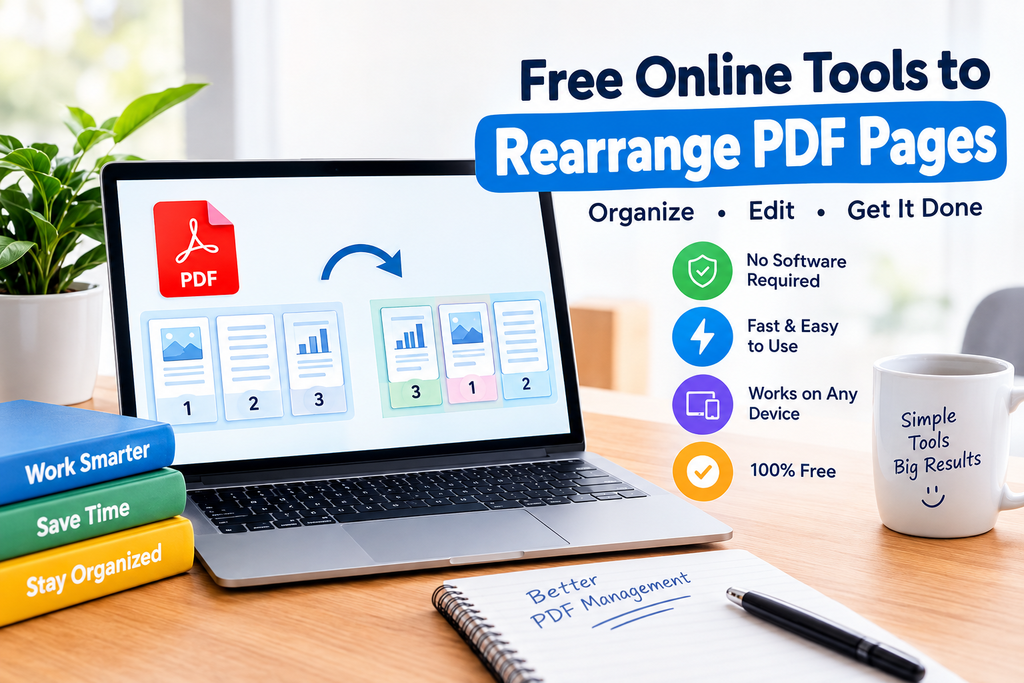
In these situations, creating the PDF again from the beginning can take unnecessary time. This is where free online tools to rearrange PDF pages can be very useful. These tools allow users to upload a PDF, move pages into the desired order, and download the reorganized document without installing complicated software.
In my experience, online PDF tools are especially helpful when I need to make a quick change from a laptop, desktop computer, tablet, or smartphone. In this article, I will explain how these tools work, why they are useful, what features to look for, and how you can rearrange PDF pages easily.
What Does It Mean to Rearrange PDF Pages?
Rearranging PDF pages simply means changing the order of pages inside an existing PDF document.
For example, imagine that your PDF contains five pages arranged like this:
- Introduction
- Conclusion
- Main Content
- References
- Appendix
You may want the document to follow a more logical order. Using a PDF page rearranger, you can move the pages into a new sequence without rewriting the entire document.
Most online PDF tools display the pages as small thumbnails. You can then drag the pages into different positions. Some tools also allow you to rotate, delete, duplicate, or extract pages.
This makes the process much easier than manually rebuilding the document.
Why Use Free Online Tools to Rearrange PDF Pages?
The main reason I prefer online PDF tools for simple tasks is convenience. When I only need to change the order of a few pages, installing desktop software does not always make sense.
A free online PDF page rearranger can usually be accessed directly through a web browser. This means there is no complicated installation process.
Another advantage is that these tools are often designed for beginners. You do not need advanced PDF editing knowledge. The interface normally shows page previews, making it easy to understand what you are changing.
Online tools can also save time. Instead of creating a new document and exporting it again as a PDF, I can simply upload the existing file, organize the pages, and save the result.
How to Rearrange PDF Pages Online
The exact interface can be different from one tool to another, but the general process is quite simple.
Step 1: Select an Online PDF Tool
First, choose a reliable online PDF page organizer. Look for a tool that clearly explains its features and provides an easy interface.
If you are working with a private or sensitive document, I recommend checking the website’s privacy information before uploading your file.
Step 2: Upload Your PDF
After opening the tool, look for an option such as Upload PDF, Choose File, or Select PDF.
Select the PDF file from your computer or mobile device. The tool will normally process the document and display its pages.
Step 3: View Your PDF Pages
Once the file is uploaded, you should see thumbnails of the pages.
This preview is one of the most useful features because it allows you to identify the pages before moving them.
For a large PDF, page numbers can make the process much easier.
Step 4: Move the Pages
Now you can change the page order.
Many tools use a simple drag and drop system. You can select a page and move it before or after another page.
For example, if page 8 should appear after page 2, you can move page 8 to that position.
Step 5: Check the New Order
Before downloading the file, I recommend checking the complete page sequence carefully.
This is particularly important for reports, assignments, applications, and business documents where the order of information matters.
Step 6: Download the Rearranged PDF
After confirming the order, select the option to organize, rearrange, or save the PDF.
The tool should generate a new version of your document. You can then download it and open it to make sure everything looks correct.
Features I Look for in a PDF Page Rearranger
Not every free PDF tool provides the same features. When I try a new online PDF tool, there are several things I usually look for.
Simple Interface
A clean interface makes the process much easier. I prefer tools where the PDF pages are clearly visible and easy to move.
Drag and Drop Support
Drag and drop functionality can make rearranging pages much faster. Instead of entering page numbers manually, you can simply move the page where you want it.
Page Preview
Page thumbnails help you understand the document structure. This feature becomes especially useful when working with long PDFs.
Page Rotation
Sometimes a PDF contains a page that is sideways or upside down. Having a rotation feature available can be helpful while organizing the document.
Delete Pages
Some PDF organizers also allow users to remove unwanted pages. This can be useful when the original PDF contains blank pages or information that is no longer needed.
Extract Pages
Another useful feature is the ability to extract selected pages from a larger PDF. This can help when you only need a particular section of a document.
Mobile Compatibility
I also recommend checking whether the tool works properly on mobile devices. Many people now handle documents using smartphones, so responsive design is an important feature.
Who Can Benefit From Online PDF Page Rearranging Tools?
These tools can be useful for many different types of users.
Students
Students frequently work with assignments, lecture notes, research papers, and study materials. If pages are accidentally placed in the wrong order, an online PDF organizer can provide a quick solution.
For example, a student may need to place a cover page at the beginning or move references to the end of an assignment.
Teachers
Teachers can use PDF organizers to arrange lesson materials, worksheets, presentations, and educational documents.
Office Workers
Business documents can contain many pages. If a report needs a different page sequence before being shared with colleagues or clients, a PDF page rearranger can save time.
Freelancers
Freelancers often work with proposals, invoices, project documents, and client files. Online PDF tools can help them organize documents without requiring advanced software.
Small Business Owners
Small businesses may need to prepare contracts, reports, brochures, and other documents. A simple online PDF organizer can be useful for occasional editing tasks.
Are Free Online PDF Tools Safe?
This is one area where I believe users should be careful.
A PDF can contain personal information, financial details, business information, academic records, or other private content. When you upload a document to an online service, you should understand how that service handles uploaded files.
Before using a tool, I recommend checking its privacy policy and security information. Look for information about file storage, automatic deletion, encryption, and whether uploaded files are used for other purposes.
For documents containing highly sensitive information, an offline PDF application may be more appropriate.
Free does not automatically mean unsafe, but users should always consider privacy before uploading important documents.
Can I Rearrange PDF Pages Without Installing Software?
Yes. One of the main benefits of online PDF tools is that they usually work through a web browser.
You can open the website, upload your PDF, organize the pages, and download the result.
This can be particularly useful when you are using a computer that does not have PDF editing software installed.
It can also be convenient when working from a different computer or using a mobile device.
What Should You Check Before Downloading the Final PDF?
After rearranging the pages, I recommend doing a quick review.
First, check that every page is present. Then make sure the pages are in the correct sequence.
You should also check the orientation of the pages. Sometimes a rotated page can make a document look unprofessional.
Finally, open the downloaded PDF and scroll through it from beginning to end. This small step can prevent mistakes before you send the document to someone else.
Advantages of Rearranging PDF Pages Online
There are several practical advantages to using online PDF page organizers.
The first is convenience. You can access them from a browser without installing software.
The second is speed. For a small PDF, changing the page order can take only a few minutes.
The third is simplicity. Most tools use visual page previews, so beginners can understand the process quickly.
Another advantage is device flexibility. Many online PDF tools work across computers, tablets, and smartphones.
For occasional PDF tasks, this can be much more convenient than purchasing professional PDF editing software.
Limitations of Free PDF Rearranging Tools
Although online tools are useful, they can also have limitations.
Some free services may restrict the size of uploaded files. Others may limit the number of tasks you can perform within a certain period.
Some tools may also display advertisements or offer additional features through paid plans.
Another consideration is privacy. As mentioned earlier, uploading a document to an online service means you should pay attention to how the website handles your files.
Because of these limitations, I would choose a tool based on the type of document I am working with rather than automatically using the first result I find.
Tips for Better PDF Organization
In my experience, a little preparation can make PDF editing much easier.
Before uploading a document, make sure you are working with the correct file. If the document is important, keep an original copy before making changes.
For long PDFs, write down the page numbers you want to move. This can prevent confusion when there are dozens or hundreds of pages.
After rearranging the document, always check the final version before sharing it.
I also recommend using clear file names. Instead of saving a document as something like document123.pdf, you could use a descriptive name such as Final_Project_Report.pdf.
This makes it easier to find the correct file later.
Final Thoughts
I find free online tools to rearrange PDF pages especially useful when I need to organize a document quickly without installing complicated software. The process is generally simple. Upload the PDF, view the pages, move them into the correct order, check the document, and download the finished version.
These tools can be helpful for students, teachers, professionals, freelancers, and anyone who regularly works with PDF files.
However, I believe convenience should always be balanced with privacy and security. For ordinary documents, a reputable online PDF organizer can be a practical solution. For highly confidential files, it is worth considering offline software instead.
If you regularly work with PDF documents, learning how to rearrange PDF pages can save time and make your documents more organized. With the right online tool, what once seemed like a complicated editing task can become a simple process that takes only a few minutes.