Related Articles
If you are a student, blogger, freelancer, or someone who likes to keep ideas organized, then a good note taking app can completely change the way you work. I have personally tried many free note taking apps over the years because I wanted something simple, reliable, and easy to access on every device. Some apps are great for writing quick notes, while others are perfect for managing projects, creating study notes, or organizing daily tasks.
The good thing is that you do not have to spend money to get a quality note taking app. Many free apps offer powerful features that are more than enough for everyday use. In this article, I will compare some of the best free note taking apps based on ease of use, features, syncing, organization, and overall experience. My goal is to help you choose the app that fits your needs without wasting your time testing every option yourself.
Why a Good Note Taking App Matters
Many people still use paper notebooks, and there is nothing wrong with that. However, digital note taking has several advantages that make life much easier.
First, your notes stay safe in cloud storage. Even if your phone or laptop is damaged, your notes remain available after signing into your account.
Second, searching for information becomes incredibly easy. Instead of flipping through dozens of pages, you simply type a keyword and find the exact note within seconds.
Another advantage is synchronization. You can start writing on your laptop, continue editing on your phone, and review everything later on your tablet. Everything stays updated automatically.
These small conveniences save a lot of time every day.
What I Look for in a Free Note Taking App
Whenever I test a note taking app, I usually focus on a few important things.
The first is ease of use. Nobody wants to spend hours learning how an app works. A clean interface makes note taking enjoyable.
The second is syncing. I want my notes available on every device without manually transferring files.
Organization is another major factor. Good folders, tags, notebooks, and search functions help keep everything organized.
I also appreciate apps that support images, checklists, voice notes, and file attachments because they make notes much more useful.
Finally, I look at the limitations of the free version. Some apps offer generous free plans while others lock important features behind paid subscriptions.
Microsoft OneNote
OneNote has remained one of my favorite free note taking apps for a long time. The biggest reason is flexibility.
Instead of forcing users into a simple text editor, OneNote allows you to create notebooks, sections, and pages that feel similar to a real notebook. You can place text anywhere on the page, insert images, create tables, draw with a stylus, and even record audio.
Students especially benefit from OneNote because lecture notes, diagrams, and assignments can all stay in one place.
The syncing between Windows, Android, iPhone, and the web works smoothly, making it easy to continue your work from any device.
The free version is generous enough for most users.
Pros
Easy organization
Excellent cloud syncing
Supports handwriting
Works on multiple platforms
Great for students
Cons
Can feel slightly overwhelming for complete beginners
Uses more system resources than lightweight apps
Google Keep
Google Keep is completely different from OneNote. It focuses on speed and simplicity.
Whenever I suddenly remember an idea, shopping item, or task, Google Keep is usually the first app I open. Creating a new note takes only a few seconds.
The colorful cards make notes visually organized, and labels help group similar information together.
Google Keep also supports reminders, voice notes, checklists, and image notes.
Its biggest strength is integration with Google services. If you already use Gmail, Google Calendar, or Google Drive, everything works together naturally.
The only downside is that it is not designed for writing very long documents.
Pros
Extremely easy to use
Fast note creation
Excellent synchronization
Supports reminders
Free forever
Cons
Limited formatting options
Not ideal for lengthy research notes
Evernote Free
Evernote was once considered the king of note taking, and even today it remains a solid option.
The interface looks modern, and creating notes feels comfortable.
Evernote allows rich text formatting, web clipping, document scanning, image storage, and task management.
Its search feature is also very powerful, especially if you save hundreds of notes.
However, the free version has become more limited than before. Some advanced features now require a paid subscription, and device limitations may frustrate users who switch between several gadgets.
Still, for light personal use, the free plan works reasonably well.
Pros
Professional interface
Strong search feature
Web clipping support
Reliable syncing
Cons
Limited free plan
Several advanced tools require payment
Notion
Notion has become one of the most popular productivity tools in recent years, and after using it for multiple projects, I understand why.
Notion is much more than a note taking app. It combines documents, databases, calendars, task management, project planning, and collaboration into one platform.
At first, the interface may seem confusing because there are countless customization options.
Once you learn the basics, you can build an entire personal knowledge system inside Notion.
Students use it for class notes, professionals manage projects, bloggers organize content, and businesses collaborate with teams.
The free version is surprisingly powerful for individual users.
Pros
Highly customizable
Beautiful interface
Excellent collaboration
Powerful templates
Works across devices
Cons
Learning curve for beginners
Requires internet for the best experience
Simplenote
If your main goal is writing clean text without distractions, Simplenote is one of the best free apps available. I like it because it opens quickly and lets me focus only on writing. There are no complicated menus or advanced editing tools to slow me down.
Simplenote automatically saves every change, so I never worry about losing my work. Another feature I appreciate is version history. If I accidentally delete something, I can restore an older version of my note.
The app also supports tags, making it easy to organize different topics without creating too many folders.
Pros
Very lightweight
Fast synchronization
Version history
Simple and clean interface
Completely free
Cons
Very limited formatting
Not suitable for multimedia notes
Apple Notes
If you use an iPhone, iPad, or Mac, Apple Notes is already installed and works surprisingly well. Over the years Apple has added many useful features that make it much more than a basic note app.
I like how quickly I can scan documents, attach photos, create checklists, and even lock private notes with a password. The synchronization through iCloud is smooth, and everything feels well integrated with Apple’s ecosystem.
The biggest limitation is that it mainly works for Apple users. If you regularly switch to Windows or Android devices, you may find it less convenient.
Pros
Excellent for Apple users
Fast performance
Document scanning
Secure notes
Easy organization
Cons
Limited support outside Apple devices
Zoho Notebook
Zoho Notebook impressed me more than I expected. The design is attractive, colorful, and easy to navigate. Instead of looking boring, every notebook feels visually organized.
Creating notes is simple, and the app supports text, images, audio recordings, sketches, documents, and checklists. I also like that there are no annoying advertisements inside the app.
Cloud synchronization works well, and the free version includes most features that casual users need.
Pros
Beautiful interface
Supports many note types
Free cloud syncing
No advertisements
Simple navigation
Cons
Not as popular as some competitors
Fewer third party integrations
Which App Is Best for Students
If I had to recommend one app for students, I would choose Microsoft OneNote. The notebook style layout makes it easy to organize different subjects, lectures, assignments, and exam notes.
Students can insert diagrams, handwritten notes, images, and PDF files without making everything look messy. Since the app syncs across devices, studying becomes much easier whether you are at home or in class.
Google Keep can also be useful for quick reminders and short revision notes, but for detailed study material, OneNote remains my first choice.
Which App Is Best for Professionals
For professionals managing projects and multiple clients, I think Notion offers the best value.
Its ability to combine notes, databases, calendars, task lists, and project management into one workspace makes it incredibly powerful. After spending some time learning the interface, it becomes one of the most organized productivity tools available.
If someone prefers something simpler, Evernote is still a dependable option for storing documents and meeting notes.
Which App Is Best for Everyday Personal Use
For everyday note taking, I personally enjoy Google Keep the most.
Whenever an idea comes to mind, I simply open the app, write a few words, and close it again. Shopping lists, reminders, passwords, movie recommendations, and random thoughts all stay organized without much effort.
The colorful note cards make everything easy to recognize at a glance, and the reminder feature ensures I never forget important tasks.
My Overall Comparison
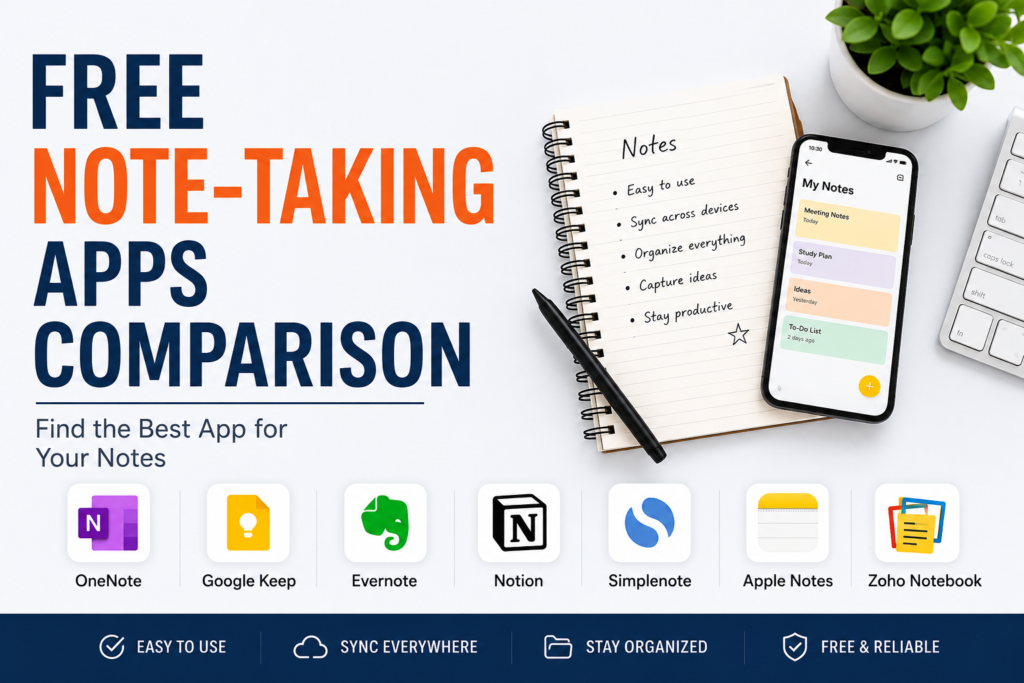
After spending time with all these apps, I realized there is no single winner for everyone. Each app is designed for different types of users.
If someone wants advanced organization and detailed notebooks, Microsoft OneNote is an excellent choice.
If speed and simplicity matter most, Google Keep and Simplenote are fantastic options.
If you enjoy customization and productivity systems, Notion is difficult to beat.
Apple users will naturally enjoy Apple Notes because of its smooth integration, while Zoho Notebook provides a refreshing alternative with an attractive interface and generous free features.
The good news is that every app mentioned here offers a free plan, so you can try several of them before deciding which one matches your workflow.
Final Thoughts
Choosing the right note taking app depends on your personal habits rather than the number of features it offers. Some people only need a place to save quick ideas, while others want a complete workspace for projects, research, and collaboration.
From my own experience, I have learned that the best app is the one you actually enjoy using every day. A simple app that encourages you to stay organized is often better than a complicated app filled with features you never use.
If I had to recommend only three free note taking apps, my list would include Microsoft OneNote for students and detailed note organization, Google Keep for quick daily notes and reminders, and Notion for professionals, creators, and anyone who enjoys building a complete productivity system.
No matter which app you choose, developing the habit of writing down your ideas, plans, and important information will improve your productivity and help you stay organized. The best part is that you can enjoy all these benefits without spending a single dollar because these excellent free note taking apps already provide everything most users need.