Related Articles


If you have a website or a blog, you probably already know that getting visitors from search engines is not as easy as publishing content. I learned this after spending weeks writing articles without seeing any noticeable traffic. At first, I thought the problem was my content, but later I realized that many technical SEO issues were holding my website back. That is when I started using free SEO audit tools.
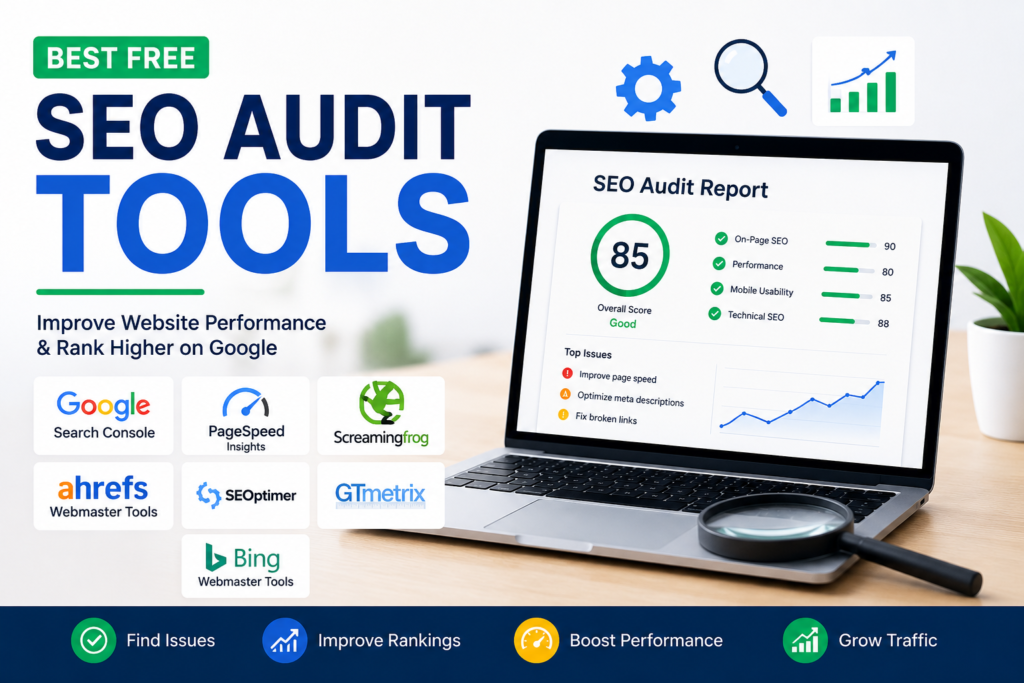
The best part is that you do not need expensive software to understand what is wrong with your website. There are many free SEO audit tools that can help you identify problems and improve your rankings. I have personally explored several of them, and they have saved me both time and money.
In this article, I will share the free SEO audit tools that I believe every beginner should know about. I will also explain why I like them and how they can help improve your website.
What Is an SEO Audit
An SEO audit is a complete checkup of your website. It helps you understand how search engines see your site. It also points out problems that may prevent your pages from ranking higher on Google.
An SEO audit usually checks page speed, broken links, mobile friendliness, title tags, meta descriptions, duplicate content, internal linking, indexing issues, and many other important factors.
Instead of guessing what is wrong, an SEO audit gives you a clear picture of what needs improvement.
Why I Prefer Free SEO Audit Tools
When I first started learning SEO, I was not ready to pay for premium software. I wanted to understand the basics before investing money.
Free SEO audit tools gave me that opportunity. They helped me learn how search engines work without spending anything. Even today, I still use many free tools because they provide valuable insights.
If you are just starting your SEO journey, free tools are more than enough to build a strong foundation.
Google Search Console
The first tool I always recommend is Google Search Console.
Since it comes directly from Google, I trust the information it provides. It tells me which keywords bring visitors to my website, how many pages are indexed, and whether Google has found any errors.
One feature I find extremely useful is the indexing report. Whenever a page is not indexed properly, I can quickly identify the issue and fix it.
Google Search Console also alerts me about mobile usability problems and security issues, making it one of the most valuable free SEO tools available.
Google PageSpeed Insights
Website speed matters more than many people realize.
Whenever my website feels slow, I check it using Google PageSpeed Insights. This tool analyzes both desktop and mobile performance.
Instead of simply telling me that my website is slow, it explains exactly why. It may recommend compressing images, reducing unused code, or improving server response time.
Following these recommendations has helped me create a faster website, which also improves the user experience.
Screaming Frog SEO Spider Free Version
Screaming Frog is another tool that impressed me from the beginning.
The free version allows me to crawl hundreds of pages and discover SEO issues that I might never notice manually.
It helps me identify broken links, duplicate titles, missing meta descriptions, redirect chains, and pages with missing headings.
Although the free version has some limitations, it is still powerful enough for small websites and personal blogs.
Ahrefs Webmaster Tools
Most people know Ahrefs as a premium SEO platform, but many beginners do not realize that it also offers free webmaster tools.
After verifying my website, I gained access to valuable reports showing technical SEO issues and backlink information.
The site health report makes it easier to understand which pages need attention.
I especially appreciate the backlink checker because backlinks remain one of the most important ranking factors in SEO.
SEOptimer
Whenever I want a quick overview of a website, I often use SEOptimer.
It generates an easy to understand report covering on page SEO, usability, performance, social media integration, and security.
What I like most is that it explains every issue in simple language.
Even if you are completely new to SEO, you can understand the recommendations without feeling overwhelmed.
SEO Site Checkup
SEO Site Checkup is another helpful tool that I regularly use.
It performs dozens of different SEO tests within seconds.
The report includes checks for page speed, mobile optimization, headings, image optimization, structured data, and security.
I like using it because it gives me a score along with suggestions for improvement.
Seeing measurable progress motivates me to continue optimizing my website.
Bing Webmaster Tools
Many website owners only focus on Google, but Bing also brings valuable traffic.
Bing Webmaster Tools offers several free SEO auditing features similar to Google Search Console.
I can monitor crawl errors, keyword performance, indexing status, and site health.
Using both Google Search Console and Bing Webmaster Tools gives me a broader understanding of my website’s performance.
GTmetrix
Although GTmetrix mainly focuses on speed, I consider it an important part of every SEO audit.
A slow website can increase bounce rates and reduce rankings.
GTmetrix provides detailed reports showing loading times, page size, and performance improvements.
Whenever I optimize images or remove unnecessary plugins, I test the website again using GTmetrix to measure the results.
Small SEO Tools
Small SEO Tools offers several free SEO utilities in one place.
I occasionally use its plagiarism checker, keyword tools, backlink checker, and website analysis features.
It is especially useful when I need quick information without signing up for multiple services.
While it may not replace advanced SEO software, it certainly helps with everyday SEO tasks.
W3C Validator
Clean website code is another important factor that many beginners ignore.
The W3C Validator checks HTML errors that could affect website performance.
When I first tested one of my websites, I discovered several coding mistakes that I never knew existed.
Fixing those issues improved the overall quality of my website.
How I Use These Tools Together
Instead of relying on only one tool, I combine several of them.
I usually begin with Google Search Console to check indexing and keyword performance.
Then I test page speed using Google PageSpeed Insights and GTmetrix.
Next, I crawl the website using Screaming Frog to find technical errors.
After that, I review backlink data using Ahrefs Webmaster Tools.
Finally, I use SEO Site Checkup or SEOptimer to get an overall website health report.
This process gives me a complete picture of my website without spending any money.
Common SEO Problems These Tools Help Me Find
Over time, these free SEO audit tools have helped me discover many issues.
I have found broken links that frustrated visitors.
I have fixed duplicate title tags that confused search engines.
I have optimized oversized images that slowed down my website.
I have corrected missing meta descriptions and heading structure.
I have also identified pages that Google could not index properly.
Without these tools, finding these problems manually would have taken hours.
Tips for Beginners
If you are new to SEO, my advice is to avoid using every tool at once.
Start with Google Search Console because it provides the most important information directly from Google.
Learn how indexing works before moving to advanced technical SEO.
Check your website speed regularly because users expect fast loading pages.
Pay attention to mobile optimization since most visitors browse on smartphones.
Most importantly, remember that SEO is a long term process.
You may not see results overnight, but consistent improvements eventually make a significant difference.
Final Thoughts
In my opinion, free SEO audit tools are more than enough for beginners and even many experienced website owners. They provide valuable insights that help identify technical problems, improve user experience, and increase search engine visibility.
I have personally learned a great deal by using these tools regularly, and they continue to play an important role in my SEO routine. The key is not simply running an audit but actually fixing the issues that the reports highlight.
If you consistently monitor your website, improve page speed, fix technical errors, and create high quality content, you will build a stronger online presence over time. Free SEO audit tools make this journey much easier, and that is why I believe every website owner should start using them today.