Related Articles


Broken links are one of those website problems that can easily go unnoticed. A page may look perfectly normal to visitors, while some of its links are quietly sending people to missing pages, deleted resources, or websites that no longer exist. From my point of view, regularly checking links is an important part of maintaining a healthy website.
Whether you manage a small blog, an online store, a business website, or a large content site, a broken link checker tool can save you a lot of time. Instead of opening hundreds of pages manually, these tools scan your website and identify links that may need attention.
In this article, I will explain some of the best broken link checker tools, what they do, and which type of website owner can benefit from each one. I will also share what I personally think you should look for when choosing a broken link checker.
What Is a Broken Link?
A broken link is a hyperlink that does not take the visitor to the intended destination. In many cases, the link may lead to a 404 error page. However, broken links can also happen because a website has moved a page, changed its URL, removed content, or experienced a technical problem.
For example, imagine that you published a blog post three years ago and linked to another useful article. Later, that article was deleted. Your original link may still be visible, but visitors will receive an error when they click it.
This is why checking broken links should be part of regular website maintenance.
Why Should You Check Broken Links?
From my experience with websites and SEO, broken links can create several unnecessary problems.
First, they can make the website look poorly maintained. If a visitor clicks several links and keeps finding missing pages, they may lose confidence in the website.
Second, broken links can affect the user experience. People visit websites because they want useful information. If important resources are unavailable, visitors may leave before completing what they came to do.
Broken links can also create problems during SEO audits. Search engines need to crawl websites efficiently, and a website with many technical problems deserves attention.
This does not mean that every 404 error will automatically destroy your rankings. A normal website can naturally have some missing URLs. The important thing is to identify important broken links and fix them where necessary.
Best Broken Link Checker Tools
There are many tools available for finding broken links. Some are designed for complete SEO audits, while others are simple tools that focus mainly on checking links.
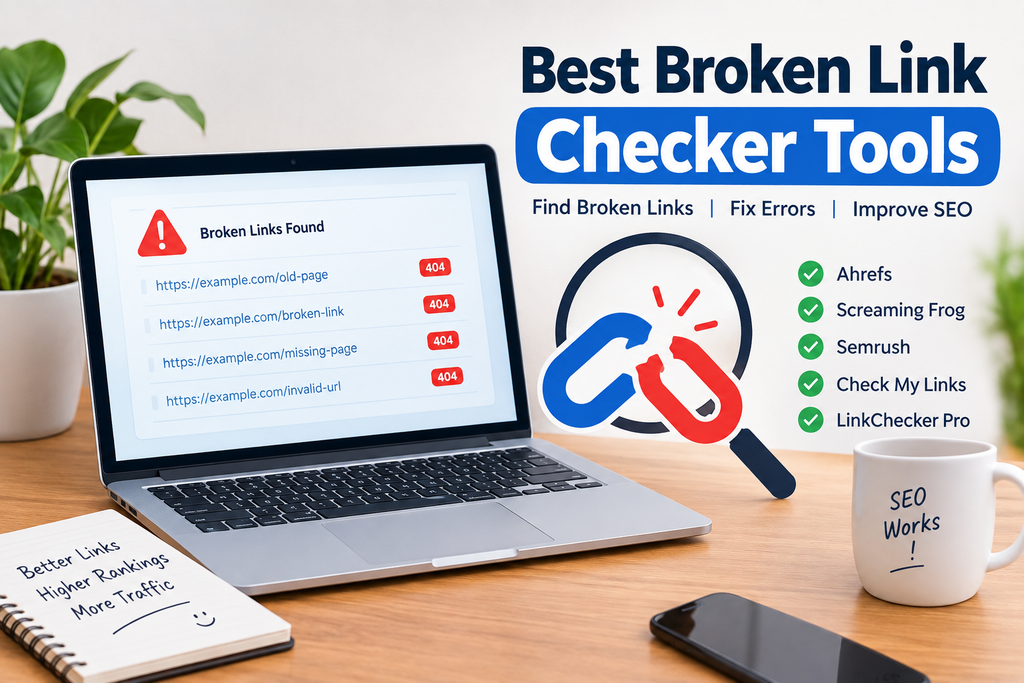
1. Ahrefs
Ahrefs is one of the well known SEO platforms that can help website owners identify technical SEO issues, including broken links.
Its Site Audit features can crawl a website and provide information about broken pages, internal links, redirects, and other technical problems.
What I like about a professional SEO platform such as Ahrefs is that broken link checking is not isolated from the rest of your SEO work. You can look at technical problems alongside other website performance information.
Ahrefs is especially useful for bloggers, SEO professionals, agencies, and larger websites that need more than a simple broken link checker.
The main thing to consider is that professional SEO platforms can be more expensive than simple online checking tools. If you only have a small website, you may not need every advanced feature.
2. Screaming Frog SEO Spider
Screaming Frog SEO Spider is another excellent option for finding broken links. It is a desktop based website crawler that can scan websites and provide detailed technical information.
One of its useful features is the ability to identify URLs returning errors such as 404 responses. You can then investigate which pages are linking to those URLs.
I consider Screaming Frog particularly useful for websites with many pages because manually checking every internal link would take an unreasonable amount of time.
It also provides many other technical SEO features, making it useful for people who want to perform complete website audits rather than simply check a few links.
For beginners, the amount of information can feel overwhelming at first. However, once you understand the basic reports, it becomes a very practical tool.
3. Semrush Site Audit
Semrush is a popular SEO platform that includes a Site Audit feature. It can crawl a website and identify various technical SEO problems, including broken links.
One reason I would recommend Semrush to serious website owners is that it combines several SEO functions in one platform. Instead of using a separate tool for every task, you can use one dashboard for technical SEO, keyword research, competitor research, and other activities.
The Site Audit report can help you identify pages with errors and understand where improvements may be needed.
For a small personal blog, the full platform may provide more features than necessary. For businesses, agencies, and serious SEO projects, however, it can be a valuable option.
4. Google Search Console
Google Search Console is a free service that website owners should know about. While it is not specifically designed as a traditional broken link checker, it can help you identify indexing and page related problems.
If Google has discovered URLs on your website that return errors, Search Console can provide useful information about those URLs.
I recommend connecting every serious website to Google Search Console because it gives you information directly related to how Google sees your website.
One important point is that Search Console should not necessarily be your only method for checking links. It is better to combine it with a website crawler or dedicated link checking tool when you want a more complete audit.
5. Broken Link Checker
There are several online broken link checking services that allow you to enter a website address and scan its links.
These tools can be useful when you want a quick check without installing complicated software. They are particularly convenient for small websites and beginners.
The main advantage is simplicity. You generally provide your website address, start the scan, and wait for the results.
However, I would always check the limitations of any free online service before relying on it for a large website. Some tools may limit the number of pages they can scan or provide only basic information.
How to Choose the Best Broken Link Checker
In my opinion, the best broken link checker depends on your website and your goals.
If you have a small blog, a simple online checker may be enough. You probably do not need an expensive SEO platform just to identify a few broken links.
If you manage a large website, Screaming Frog, Ahrefs, or Semrush may be more appropriate because they can provide deeper technical information.
You should also consider whether the tool checks internal links, external links, redirects, status codes, and other technical issues.
Another important factor is usability. A tool may provide hundreds of reports, but if you cannot understand the information, it will not be very useful.
For beginners, I recommend starting with a tool that provides clear explanations. As your SEO knowledge improves, you can move toward more advanced auditing software.
How Often Should You Check Broken Links?
There is no single schedule that works for every website.
For a small website that does not change frequently, checking every few months may be reasonable. Websites that publish new content regularly should consider checking more frequently.
Large websites and online stores may benefit from regular automated crawling because they can accumulate a large number of URLs.
I personally believe that checking links after major website changes is especially important. If you redesign your website, change your URL structure, migrate to a new platform, or delete a large amount of content, run a broken link check afterward.
How to Fix Broken Links
Finding broken links is only the first step. The next step is deciding what to do with them.
If the destination page has moved to a new URL, update the link to the new URL.
If the content has been permanently removed and there is a useful replacement, link to the replacement instead.
If there is no relevant replacement, removing the link may be the best option.
You should avoid replacing a broken link with an unrelated page simply because it is available. From my point of view, every link should provide genuine value to the reader.
For your own deleted pages, a properly configured redirect can sometimes be appropriate. However, redirects should be used carefully and should point visitors toward relevant destinations.
Broken Links and SEO
Broken links are often discussed in relation to SEO, but it is important to understand the issue correctly.
A website does not become automatically bad in Google’s eyes just because one URL returns a 404 response. Websites naturally change over time.
The bigger concern is poor website maintenance and a frustrating user experience. If important pages contain many broken internal links, visitors and search engine crawlers may have a harder time navigating the website.
That is why I treat broken link checking as part of general website maintenance rather than a magic SEO trick.
Good SEO is about creating a useful, accessible, technically sound website. Broken link checking is one small but important part of that process.
My Final Thoughts
Choosing the best broken link checker tool depends on what you actually need. For quick checks, a simple online tool can be convenient. For technical SEO work, Screaming Frog is a strong option. Ahrefs and Semrush are useful when broken link checking is part of a larger SEO strategy. Google Search Console is also an important free resource for understanding problems Google has discovered.
My main advice is not to wait until visitors report broken links. Make link checking part of your normal website maintenance routine.
A few minutes spent identifying and fixing important broken links can improve navigation, make your content more reliable, and give visitors a better experience. If you are serious about building a useful website, regularly checking your links is a simple habit that is worth developing.