Related Articles


If there is one thing I have learned after working on different websites, it is that speed is no longer just a technical factor. It directly affects user experience, search engine rankings, and even sales. A slow website can make visitors leave before they even see your content. That is why I always make website speed testing a regular part of my SEO routine.
Many beginners think that if a website opens on their own computer, then it is fast for everyone. Unfortunately, that is not true. Internet speed, device performance, server location, and website optimization all play a role. This is where website speed checker tools become extremely useful. They show the real performance of your website and provide suggestions to improve it.
In this article, I will share some of the best website speed checker tools that I personally find useful. Whether you own a blog, an online store, or a business website, these tools can help you understand what is slowing down your pages.
Why Website Speed Matters
Website speed is important because people expect websites to load almost instantly. If a page takes more than a few seconds, many users simply close the tab and move to another website.
Search engines also consider page speed as one of the ranking factors. A faster website usually offers a better user experience, which can improve search visibility over time.
A fast website can also increase conversions. Whether your goal is to get more readers, generate leads, or sell products, every second saved during page loading can make a difference.
What Makes a Good Website Speed Checker Tool
Not every speed testing tool offers the same features. I usually look for tools that provide detailed reports without making the results too confusing.
A good speed checker should include loading time, page size, performance score, Core Web Vitals, waterfall charts, and recommendations for improvement. It should also allow testing from different locations and devices.
Now let’s explore the best tools available.
Google PageSpeed Insights
Google PageSpeed Insights is one of the first tools I use whenever I want to check a website.
The biggest advantage is that it uses Google’s own performance metrics. It provides separate reports for desktop and mobile devices while also showing Core Web Vitals data.
The report explains which issues are affecting your website and offers practical suggestions. You may see recommendations such as reducing unused JavaScript, optimizing images, improving server response time, or enabling browser caching.
Since the tool comes directly from Google, I believe every website owner should use it regularly.
Pros
Free to use
Uses real user data
Shows Core Web Vitals
Provides detailed optimization suggestions
Cons
Some technical recommendations may be difficult for beginners.
GTmetrix
GTmetrix is another excellent website speed testing tool that I frequently recommend.
Its reports are easy to understand while still offering advanced technical information for developers. One feature I really like is the waterfall chart because it clearly shows which files are slowing down the website.
GTmetrix also allows you to test your website from different countries and browsers, making it easier to understand how visitors experience your website worldwide.
Pros
Detailed reports
Waterfall analysis
Performance history
Multiple testing locations
Cons
Some advanced features require a paid account.
Pingdom Website Speed Test
Pingdom has been popular for many years, and for good reason.
The interface is clean and beginner friendly. After entering your website URL, you receive an overall performance grade, page size, requests, and loading time.
The report also highlights the files that consume the most resources, making it easier to identify large images or unnecessary scripts.
Pros
Simple interface
Easy to understand
Fast testing
Performance grading
Cons
Limited advanced recommendations compared to some competitors.
WebPageTest
WebPageTest is one of the most detailed website speed checker tools available today.
Although the interface looks more technical, the information it provides is incredibly valuable.
You can test your website from different countries, browsers, internet speeds, and devices. The tool even records a video of your page loading so you can visually identify slow sections.
I usually recommend WebPageTest to advanced users who want complete performance analysis.
Pros
Very detailed reports
Multiple browser testing
Video playback
Advanced performance insights
Cons
May feel overwhelming for beginners.
Lighthouse
Lighthouse is another excellent tool developed by Google.
It is built directly into the Chrome browser, which means you do not even need to install additional software.
Besides website speed, Lighthouse also checks accessibility, SEO, best practices, and overall performance.
Whenever I make changes to a website, I often run Lighthouse to quickly see whether the improvements actually made a difference.
Pros
Free
Built into Chrome
Covers SEO and accessibility
Provides optimization suggestions
Cons
Uses simulated testing rather than live visitor data.
Uptrends Website Speed Test
Uptrends provides a professional website speed testing experience.
It allows testing from multiple global locations and displays a detailed waterfall chart.
I especially like its visual breakdown of images, CSS files, JavaScript files, and fonts because it helps identify which elements are slowing down the page.
Pros
Global testing locations
Detailed waterfall chart
Easy performance analysis
Cons
Some advanced features require payment.
Dareboost
Dareboost combines website speed testing with website quality analysis.
Instead of only measuring loading speed, it also reviews security, accessibility, SEO, and coding practices.
This makes it a useful all in one auditing platform for website owners.
Pros
Comprehensive reports
SEO analysis
Security recommendations
Performance monitoring
Cons
The free version has limited features.
Site 24×7 Website Speed Checker
Site 24×7 is another reliable tool that offers website performance monitoring.
It checks loading time from different global locations and provides useful insights into server performance.
Businesses that need continuous monitoring often find this platform very useful.
Pros
Global monitoring
Server performance analysis
Reliable reports
Cons
Better suited for business websites than personal blogs.
Key Metrics You Should Watch
Many beginners focus only on total loading time, but there are several important metrics worth paying attention to.
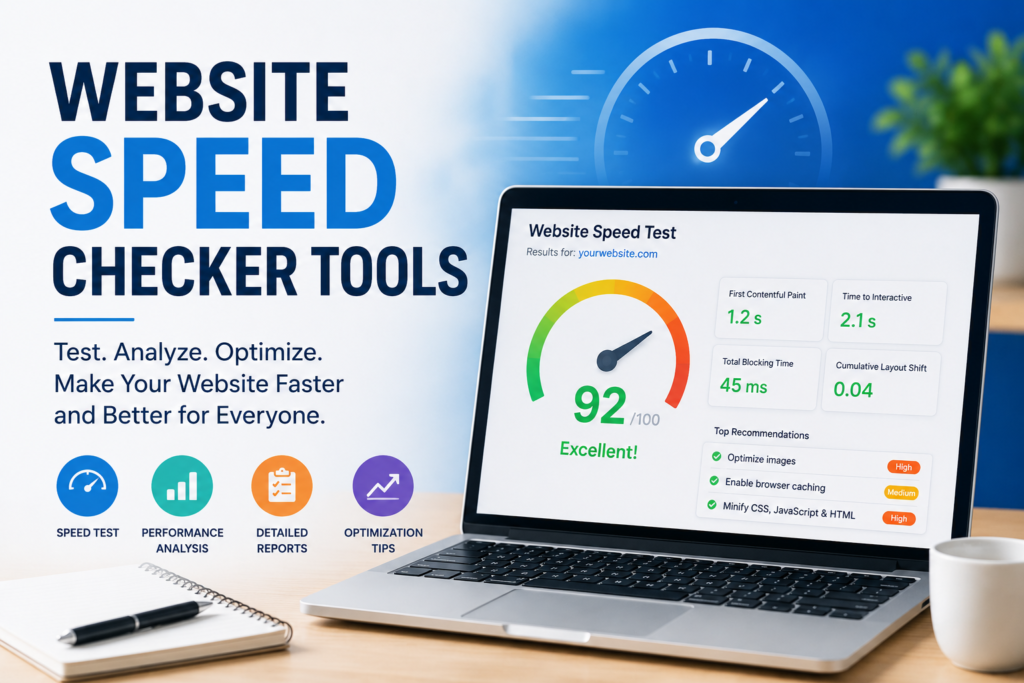
Largest Contentful Paint measures how quickly the main content becomes visible.
First Contentful Paint tells you when users first see something appear on the screen.
Cumulative Layout Shift measures visual stability while the page loads.
Time to Interactive indicates when visitors can actually interact with your website.
Keeping these metrics within Google’s recommended limits can improve both user experience and search rankings.
Common Reasons Why Websites Load Slowly
After analyzing many websites, I often notice similar issues.
Large uncompressed images are probably the most common problem.
Too many plugins can also increase loading times, especially on WordPress websites.
Poor quality hosting often causes slow server response times.
Heavy JavaScript files, unnecessary CSS, and too many external requests also contribute to slower websites.
Lack of browser caching and missing content delivery networks can further reduce performance.
Tips to Improve Website Speed
Testing your website is only the first step. The real goal is improving performance.
Compress all images before uploading them.
Use modern image formats whenever possible.
Choose a reliable hosting provider.
Enable browser caching.
Use a Content Delivery Network for global visitors.
Minify CSS, HTML, and JavaScript files.
Remove unnecessary plugins and themes.
Keep WordPress, plugins, and PHP updated.
Lazy load images that appear further down the page.
Reduce redirects whenever possible.
These improvements can significantly reduce loading times.
Which Website Speed Checker Do I Recommend
If I had to choose only one tool, I would start with Google PageSpeed Insights because it reflects Google’s own performance standards.
For deeper technical analysis, GTmetrix is an excellent choice.
If you enjoy detailed testing with advanced options, WebPageTest is difficult to beat.
For quick checks, Pingdom remains one of the simplest and fastest tools available.
Using two or three different tools together usually provides a more complete understanding of your website’s performance.
Final Thoughts
Website speed is no longer optional. Every website owner should regularly monitor performance to ensure visitors enjoy a smooth browsing experience.
The good news is that there are many excellent website speed checker tools available, and several of them are completely free. Each tool has its own strengths, so I recommend trying a few of them to see which reporting style works best for you.
From my experience, even small speed improvements can lead to better user engagement, lower bounce rates, and improved search engine rankings. Testing your website regularly and applying the recommended optimizations will help keep your site fast, competitive, and ready for future growth.
.