Related Articles


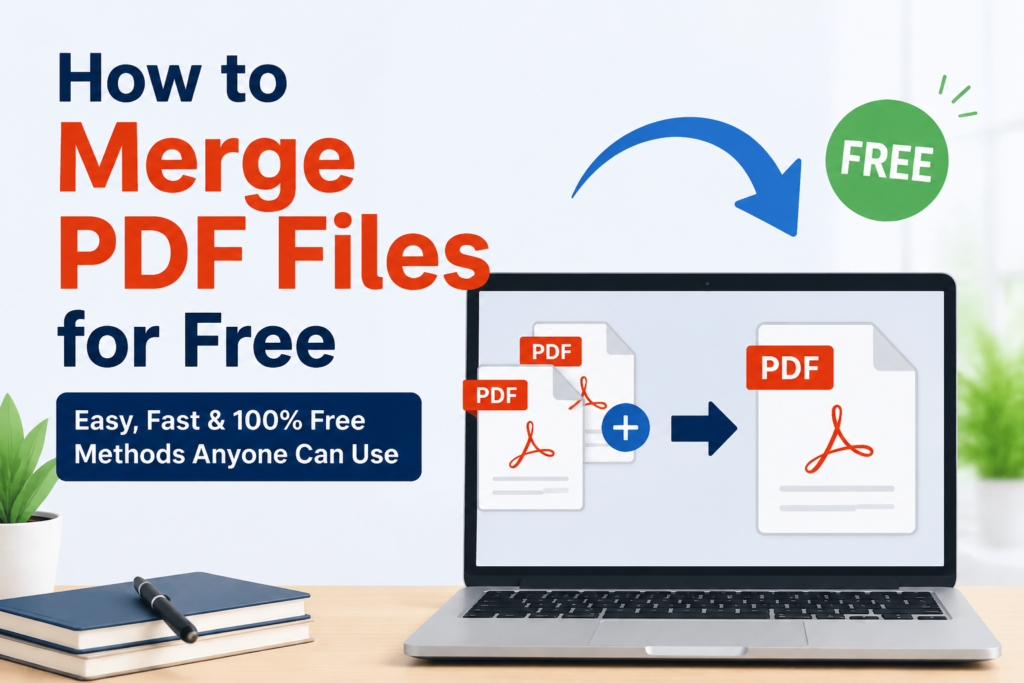
If you often work with PDF documents, you probably know how frustrating it can be to manage multiple files. I have personally faced situations where I had several PDFs for the same project, assignment, or report. Sending or storing separate files made everything look messy and unorganized. That is when I started looking for free ways to merge PDF files into a single document.
After trying different tools and methods, I realized that merging PDFs is much easier than most people think. You do not need expensive software or advanced technical skills. Today, there are many free online and offline solutions that help combine PDF files within a few minutes.
In this article, I will share everything I have learned about merging PDF files for free. I will explain why it is useful, the best free methods, and a few tips that can help you avoid common mistakes.
Why Merge PDF Files
There are many reasons why I prefer keeping related documents in one PDF instead of several separate files.
The biggest advantage is organization. When all pages are in one document, it becomes easier to share, upload, and manage the file. I do not have to worry about missing attachments or sending the wrong document.
Another benefit is convenience. Many schools, universities, and workplaces ask for one PDF during submissions. Instead of uploading five different files, I simply merge them into one document.
It also makes reading much smoother. Rather than opening multiple files one after another, everything stays together in the correct order.
Is It Really Free
One question many people ask is whether PDF merging tools are actually free.
From my experience, the answer is yes. There are many websites that allow you to merge PDF files without paying anything. Some may have daily limits or optional premium plans, but basic PDF merging is usually available for free.
If you only merge documents occasionally, the free versions are more than enough.
Best Ways to Merge PDF Files for Free
I have tried several methods over time. Each one has its own advantages depending on your needs.
Using Free Online PDF Tools
This is probably the easiest method.
You simply visit a website, upload your PDF files, arrange them in the correct order, click the merge button, and download the final document.
The whole process usually takes less than two minutes.
I like this option because there is nothing to install on my computer. It works directly in the browser whether I am using Windows, Mac, or even my phone.
Most online tools also let you drag and drop files, making the process simple even for beginners.
Using Free Desktop Software
Sometimes I prefer working offline, especially when the PDF contains personal or confidential information.
There are free desktop applications that allow PDF merging without uploading files to the internet.
The process is very similar. I open the software, add my PDF documents, arrange the pages, merge everything, and save the final file.
This option gives me better privacy and works even without an internet connection.
Using Built In Features
Some operating systems already include basic PDF tools.
For example, certain devices allow you to print multiple PDF documents into one combined PDF.
Although this method is not always as flexible as dedicated software, it works well for simple tasks.
Step by Step Guide
Whenever I need to merge PDFs online, I usually follow these simple steps.
First, I open a trusted PDF merging website.
Next, I upload all the PDF files that I want to combine.
After uploading, I arrange the files in the correct order.
Then I click the merge button and wait for the website to process everything.
Finally, I download the merged PDF and save it to my computer.
The entire process usually takes only a few minutes.
Things I Always Check Before Merging
Over time, I learned that spending one extra minute checking the files can save a lot of trouble later.
I always make sure every PDF opens correctly before uploading it.
I also check that the pages are arranged in the proper sequence.
Sometimes I rename the files before uploading because it becomes easier to identify them.
If there are duplicate pages, I remove them first so the final PDF stays clean and professional.
Another thing I check is the file size. Very large PDFs may take longer to upload or download, so compressing them first can speed up the process.
Can You Merge PDFs on a Mobile Phone
Yes, and I have done it many times.
Most online PDF tools work perfectly on Android and iPhone browsers.
I simply open the website, upload the files from my phone storage, merge them, and download the final PDF.
Some mobile apps also provide free PDF merging features, making it even easier when I am away from my computer.
For students and professionals who travel often, this can be a very useful option.
Common Mistakes to Avoid
One mistake I used to make was uploading files in the wrong order.
This resulted in a confusing final document that had to be merged again.
Another mistake is ignoring file quality. If the original PDF is blurry, merging it will not improve its appearance.
I also avoid uploading sensitive documents to unknown websites. When privacy matters, I always use trusted services or offline software instead.
Finally, I never forget to open the merged PDF before sharing it. A quick review helps me confirm that every page is included correctly and nothing is missing.
My Favorite Free PDF Merging Tools
After trying many different PDF tools, I realized that not every platform offers the same experience. Some are incredibly fast, while others include extra features that make working with PDF documents much easier. Whenever I need to merge files, I usually choose a tool based on the size of my documents and whether I am working on a computer or a mobile phone.
One thing I appreciate is a clean interface. I do not want to spend time searching for buttons or reading complicated instructions. The best tools allow me to upload files, arrange them, merge them, and download the final PDF within a few clicks.
I also prefer tools that do not add watermarks to my documents. A clean PDF always looks more professional, especially when I am submitting assignments, work reports, or official documents.
Is It Safe to Merge PDFs Online
Many people worry about uploading their files to online services. I had the same concern when I first started using these websites.
In my experience, it is generally safe if you choose a well known and trusted platform. Reputable PDF tools usually remove uploaded files from their servers after a certain period of time and use secure connections while processing documents.
Even so, I follow one simple rule. If the PDF contains personal information, financial records, legal papers, or confidential business documents, I prefer using offline software instead of an online service. This gives me extra peace of mind because the files never leave my computer.
For everyday documents such as study notes, resumes, ebooks, or presentations, online PDF merging tools work perfectly.
Tips for Better Results
Over time, I have developed a few habits that make the merging process much smoother.
I always arrange the files in the exact order before clicking the merge button.
I check every document to make sure no pages are missing.
I remove duplicate pages whenever possible because they make the final PDF unnecessarily long.
If a PDF is very large, I sometimes compress it after merging to reduce the file size without affecting readability.
I also keep a backup of the original files. This allows me to make changes later if I need to edit or reorganize the document.
These small steps only take a few minutes but help create a much cleaner and more professional PDF.
Who Can Benefit from PDF Merging
I believe almost everyone who works with digital documents can benefit from this feature.
Students can combine assignments, notes, research papers, and certificates into one organized file for submission.
Teachers can merge worksheets, quizzes, and lesson materials before sharing them with students.
Office workers can combine contracts, invoices, reports, and presentations into a single document that is easier to manage.
Freelancers can send proposals, portfolios, and project documents together instead of attaching multiple files.
Even personal users can merge travel tickets, scanned documents, receipts, or ebooks for easier storage.
Once I started organizing my files this way, I noticed how much time it saved.
Frequently Asked Questions
Does merging PDF files reduce quality?
In most cases, no. If the tool simply combines the documents without compression, the quality remains the same as the original files.
Can I merge password protected PDFs?
Some tools support password protected files, but you will usually need to enter the password before the documents can be merged.
Is there a file limit?
Free tools often have upload limits based on file size or the number of documents. For normal daily use, these limits are usually sufficient.
Can I rearrange pages before merging?
Yes. Most PDF merging tools allow you to drag and drop files into the correct order before creating the final document.
Do I need to create an account?
Not always. Many free PDF merging websites allow users to merge and download files without signing up.
My Final Thoughts
After using different PDF tools for several years, I can confidently say that merging PDF files is one of the easiest ways to stay organized. It saves time, reduces confusion, and makes sharing documents much more convenient.
The best part is that you do not need expensive software or professional skills. Free PDF merging tools have become powerful enough for students, professionals, and everyday users. Whether you choose an online service or an offline application, the process is usually quick and straightforward.
I recommend taking a few moments to compare different tools and find the one that matches your needs. Some focus on speed, while others provide additional features like compression, page rotation, or PDF editing. Once you find a reliable option, merging PDFs becomes a task that takes only a minute or two.
For me, combining PDF files has become part of my regular workflow. It helps me keep documents organized, simplifies sharing, and ensures everything stays together in one professional looking file. If you have never tried it before, now is a great time to start. You will probably be surprised at how simple and useful it is.
Whether you are preparing school assignments, business reports, personal records, or project files, learning how to merge PDF files for free is a skill that can save time and improve productivity. It is one of those small digital skills that makes everyday work much easier, and once you get used to it, you will likely use it again and again.