Related Articles

PDF files have become a part of our daily digital life. Whether I need to send an important document, share an eBook, submit an assignment, or upload business files, PDF is always my first choice because it keeps the formatting exactly the same on every device. The only challenge comes when I need to edit, convert, or extract content from a PDF. That is where online PDF converter tools become incredibly useful.
Over the years, I have tested many PDF converter websites. Some of them are fast, some offer better quality, while others provide extra editing features that save a lot of time. Instead of downloading heavy software, I prefer using online tools because they work directly in the browser and can be accessed from any computer or smartphone.
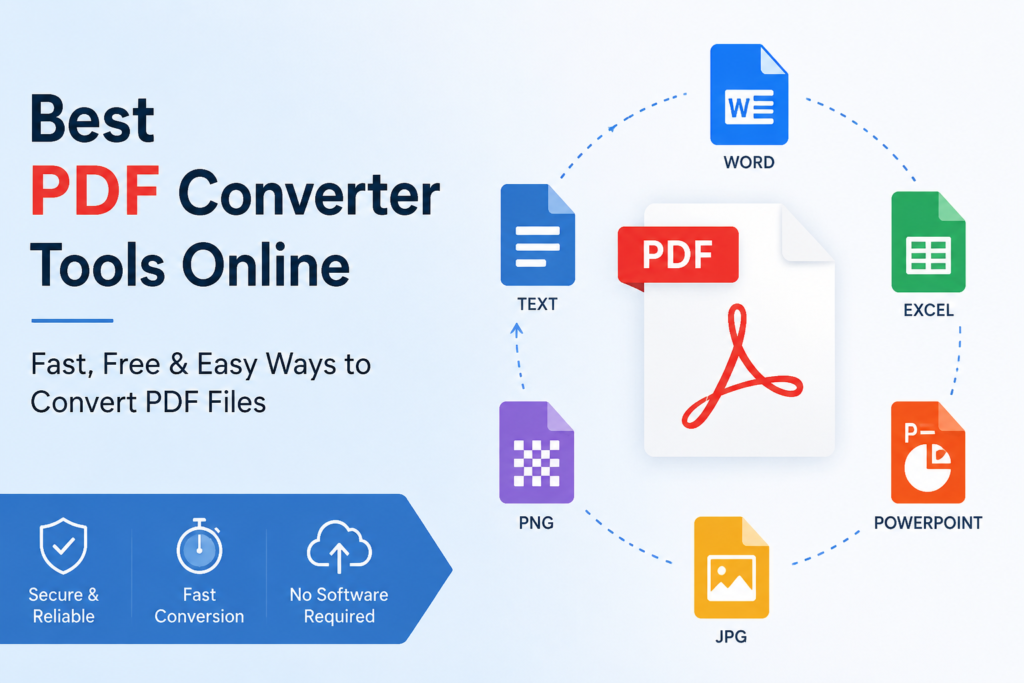
In this article, I am sharing the best PDF converter tools online based on my experience. These tools can help convert PDFs into Word, Excel, PowerPoint, JPG, PNG, and many other file formats without making the process complicated.
Why Use an Online PDF Converter
One reason I like online PDF converters is convenience. There is no need to install applications that take up storage space. I simply upload my file, choose the output format, wait a few seconds, and download the converted document.
Another advantage is compatibility. Whether I am using Windows, Mac, Android, or iPhone, online converters work almost everywhere. Most modern browsers support these services without requiring additional plugins.
Many online tools also include useful features such as PDF compression, merging, splitting, password protection, OCR text recognition, and editing. Instead of visiting multiple websites, I can often complete everything in one place.
Smallpdf
Smallpdf is one of my favorite PDF tools because of its clean interface and easy navigation. Even someone using it for the first time can understand how everything works.
The platform supports converting PDF files into Word, Excel, PowerPoint, JPG, and several other formats. It also allows users to merge PDFs, split large documents, compress files, rotate pages, and add electronic signatures.
The conversion quality is usually excellent. Text formatting remains accurate, and images maintain their original quality in most cases.
Although the free version has some daily usage limits, it is more than enough for occasional users. Those who work with PDF documents regularly can consider upgrading to the premium version.
iLovePDF
Whenever I need multiple PDF tools in one place, iLovePDF is usually my first choice. The website offers almost every PDF feature I can think of.
Apart from converting documents, it lets users compress PDFs, repair damaged files, unlock password protected documents, organize pages, add watermarks, and even scan documents.
One feature I appreciate is the batch conversion option. Instead of converting files one by one, I can upload several documents together and process them at once.
The website works smoothly on both desktop and mobile devices, making it suitable for students, freelancers, and office professionals.
PDF2Go
PDF2Go offers more than basic file conversion. I often use it when I need to make quick edits before downloading the final document.
Users can crop pages, rotate documents, highlight text, remove unnecessary sections, and convert files into multiple formats.
The interface is simple enough for beginners while still providing advanced options for experienced users.
Its cloud integration is another useful feature because files can be uploaded directly from Google Drive or Dropbox.
Adobe Acrobat Online
Adobe created the PDF format, so it is not surprising that its online PDF converter performs exceptionally well.
Whenever I need maximum accuracy while converting PDF to Word, Adobe is one of the first websites I consider.
The formatting remains very close to the original document, especially for reports, contracts, presentations, and business documents.
Adobe also offers online editing, compression, merging, splitting, password protection, and digital signature features.
Although several advanced tools require a paid subscription, the free converter is reliable enough for everyday tasks.
Soda PDF Online
Soda PDF Online combines speed with simplicity. I have found it useful whenever I need quick conversions without spending too much time exploring menus.
The platform supports PDF conversion into Word, Excel, PowerPoint, HTML, JPG, PNG, and several other formats.
It also includes editing tools, page organization features, OCR technology, and cloud storage support.
One thing I like is that uploaded files are processed quickly, even when working with larger documents.
PDF Candy
PDF Candy is another impressive online converter that offers a wide collection of PDF tools without making the interface confusing.
It supports more than twenty different PDF related functions including conversion, compression, editing, watermark removal, page extraction, OCR, password protection, and document repair.
I appreciate that many features remain available without requiring users to create an account.
The conversion quality is consistently good, making it suitable for both personal and professional work.
Zamzar
Zamzar has been around for many years and supports hundreds of file formats beyond PDF.
Whenever I receive an uncommon file format, Zamzar often becomes my solution because it can convert documents, images, audio, video, and ebooks.
Its PDF conversion process is simple. Upload the file, select the desired output format, and download the converted document.
Although free users have file size limitations, the service works well for everyday document conversion.
Online2PDF
Online2PDF is one of the most feature rich PDF converter websites available for free.
What makes it different is the level of customization offered before conversion.
Users can merge multiple PDFs, rearrange pages, compress files, add headers, insert footers, secure documents, and adjust image quality before downloading.
Whenever I need greater control over my PDF files, this is usually one of my preferred choices.
HiPDF
HiPDF offers a modern interface that feels clean and easy to use.
The platform includes PDF conversion, editing, OCR, compression, image extraction, page organization, and electronic signature tools.
It also integrates well with cloud storage platforms, making file management much easier.
I have noticed that its conversion speed is impressive, even with larger files.
EasePDF
EasePDF provides a simple experience without overwhelming users with unnecessary options.
The website supports PDF conversion, editing, compression, page extraction, merging, splitting, OCR, and password removal.
Privacy is another reason why many users prefer it. Uploaded files are automatically deleted from the server after a limited period, providing additional peace of mind.
Features I Always Look For
Whenever I choose a PDF converter, I pay attention to several important factors.
The first is conversion accuracy. A good converter should preserve fonts, tables, images, and page layouts without introducing formatting errors.
The second is speed. Waiting several minutes for a small document is frustrating, so I always prefer tools that complete the process within seconds.
Security is equally important because PDF files often contain sensitive information. I only use websites that delete uploaded documents automatically after processing.
File size support is another consideration. Some free converters restrict uploads to very small documents, while others comfortably handle larger files.
Finally, I appreciate websites that provide additional editing tools because they reduce the need to switch between multiple services.
Free vs Paid PDF Converters
Many people wonder whether free PDF converters are enough.
In my experience, free tools work perfectly for occasional tasks such as converting resumes, assignments, invoices, or personal documents.
However, professionals who handle PDF files every day may benefit from premium subscriptions.
Paid versions usually remove file size limits, increase conversion speed, unlock OCR features, support batch processing, and provide stronger security for confidential documents.
Whether upgrading is worthwhile depends entirely on how frequently PDF files are used.
Tips for Better PDF Conversion
Before uploading any document, I always make sure the original PDF is clear and properly formatted.
If the document contains scanned pages, using a converter with OCR technology usually produces much better results.
I also avoid uploading confidential files unless I trust the platform’s privacy policy.
For important business documents, I usually compare the converted file with the original before sharing it with clients or colleagues.
Finally, keeping a backup of the original PDF is always a smart idea in case any formatting changes occur during conversion.
Final Thoughts
Online PDF converter tools have made document management much easier than ever before. Instead of installing complicated software, I can now convert files directly from my browser within minutes.
Among all the platforms I have used, Smallpdf, iLovePDF, Adobe Acrobat Online, PDF Candy, PDF2Go, Soda PDF Online, Online2PDF, HiPDF, EasePDF, and Zamzar consistently deliver reliable performance and excellent conversion quality.
The best choice depends on individual needs. If someone only wants quick PDF conversions, almost any of these tools will work well. If advanced editing, OCR, batch processing, or business level security is important, premium plans may provide additional value.
No matter which platform I choose, having a dependable online PDF converter saves time, improves productivity, and makes handling digital documents much more convenient.