Related Articles



Website loading speed is one of those things that can easily be ignored when we are busy creating content, designing pages, or adding new features. In my experience, however, a fast website makes a noticeable difference. Visitors want pages to open quickly, and search engines also pay attention to the experience a website provides.
If a website takes too long to load, people may simply leave before reading the content. This can increase the bounce rate, reduce engagement, and even affect conversions. That is why learning how to improve website loading speed is important for bloggers, business owners, and anyone who wants to build a successful website.
The good thing is that improving website speed does not always require advanced technical knowledge. There are several practical steps that can make a website faster and easier to use.
Why Website Loading Speed Matters
Website loading speed affects both users and search engine optimization. When someone clicks on a page, they expect the main content to appear quickly. A slow website can make the entire browsing experience frustrating.
I believe speed should be treated as part of website quality rather than as a small technical detail. Even if your content is excellent, visitors may not stay long if your pages take too much time to load.
A fast website can provide a smoother experience on desktop computers, tablets, and mobile phones. It can also make navigation easier because users can move between pages without waiting for every element to load.
Website speed is also connected to SEO. Search engines consider page experience as part of their broader ranking systems. Improving loading performance can therefore support your overall SEO strategy while also helping real visitors.
Test Your Website Speed First
Before making changes, I recommend testing your website. This gives you an idea of what is actually slowing the site down instead of making random changes.
There are several website speed testing tools available online. Google PageSpeed Insights is one of the most commonly used options. Other tools can also provide information about page size, server response time, images, scripts, and other resources.
When checking your website, test important pages instead of looking at only the homepage. Your blog posts, category pages, product pages, and landing pages may have completely different performance issues.
Testing your website before and after optimization also helps you understand which changes are actually making a difference.
Optimize Your Images
Images are often one of the biggest reasons a website loads slowly. High resolution images can look beautiful, but uploading large files without optimization can increase page size considerably.
I always recommend resizing images to the dimensions actually needed on the website. There is usually no reason to upload a huge image when it will only appear in a small section of the page.
You should also use modern image formats when appropriate. Formats such as WebP can provide good visual quality while keeping file sizes smaller.
Image compression is another useful step. A properly compressed image can look almost identical to the original while requiring much less data to download.
Do not forget to use descriptive file names and appropriate alternative text. This can help accessibility and image SEO while keeping your website properly organized.
Choose Reliable Web Hosting
Your hosting provider can have a major effect on website performance. A poorly configured or overloaded server can cause slow response times even when your website itself is well optimized.
When choosing hosting, I recommend looking at server performance, reliability, available resources, support quality, and the location of the servers.
Cheap hosting can sometimes be useful for a small new website, but as traffic grows, limited server resources can become a problem.
If your audience is mainly located in one region, having a server or content delivery network infrastructure closer to those visitors can also help reduce response times.
Use Browser Caching
Caching is another effective way to improve website loading speed. Browser caching allows certain website resources to be stored locally on a visitor’s device.
When the visitor returns to your website, the browser may not need to download every resource again. This can make repeat visits much faster.
Caching can be configured through your hosting environment, server settings, or WordPress performance plugins.
If you are using WordPress, caching plugins can simplify many performance tasks. However, I recommend changing one setting at a time and testing the website afterward. Too many aggressive optimization settings can sometimes create unexpected problems.
Use a Content Delivery Network
A Content Delivery Network, commonly called a CDN, stores copies of website resources across multiple servers in different locations.
When a visitor opens your website, the CDN can deliver resources from a location that is relatively close to that visitor. This can reduce network delays and improve loading performance for users in different regions.
A CDN can be particularly helpful if your website has visitors from several countries.
For a small local website, the benefits may vary depending on your audience and hosting setup. Still, it is an option worth considering as your website grows.
Minify CSS, JavaScript, and HTML
Websites use HTML, CSS, and JavaScript to create their layouts and functionality. Unnecessary spaces, comments, and characters can increase file sizes.
Minification removes unnecessary characters from these files without changing what the browser needs to display the page.
Reducing file sizes means browsers have less data to download. This can contribute to faster loading, especially for visitors using slower internet connections.
Many WordPress optimization plugins can handle basic minification automatically. If you are manually optimizing code, make sure you test the website carefully afterward because poorly configured scripts can cause layout or functionality issues.
Remove Unnecessary Plugins
One common issue I see with WordPress websites is the installation of too many plugins. Plugins are useful, but every additional plugin can potentially add scripts, styles, database queries, or other resources.
That does not mean you should avoid plugins completely. Instead, keep only the plugins that your website actually needs.
Go through your WordPress dashboard and check which plugins you are using. If a plugin is inactive and unnecessary, remove it rather than keeping it installed.
It is also worth checking whether two plugins are performing similar tasks. In some cases, one well maintained plugin can replace several smaller plugins.
Reduce Unnecessary JavaScript
JavaScript can make websites interactive, but excessive JavaScript can also slow down page rendering.
Many websites load scripts that are not immediately necessary for the visitor. Some scripts can be delayed until the page content has loaded or until the user interacts with a specific feature.
Reducing unnecessary JavaScript can improve the initial loading experience.
Third party scripts should also be reviewed carefully. Advertising systems, analytics tools, social media widgets, chat systems, and other external services can add requests to a webpage.
I recommend keeping only the third party services that provide genuine value to your website.
Improve Your Website Database
For WordPress websites, the database can become larger over time. Revisions, temporary data, spam comments, unused information, and other records can accumulate.
A cluttered database does not automatically mean your website will be extremely slow, but cleaning unnecessary data can help keep the website organized and efficient.
Before making database changes, always create a backup. Database optimization should be done carefully because deleting the wrong information can cause problems.
If you are not comfortable working directly with a database, a reputable WordPress optimization solution can make the process easier.
Use Lazy Loading
Lazy loading is a useful technique for images and other resources that are not immediately visible.
Instead of loading every image when the page first opens, the browser can load some images when they are close to entering the visitor’s screen.
This can reduce the amount of data required during the initial page load.
Lazy loading is especially useful for long blog posts that contain many images. However, important content near the top of the page should be handled carefully so that it does not become unnecessarily delayed.
Improve Your Website Theme
Your WordPress theme can also influence loading speed. Some themes contain many features, animations, scripts, and design elements that may not be necessary for your website.
A lightweight theme can often provide a better foundation for performance.
I prefer keeping website design simple and focusing on usability. A clean layout does not need dozens of animations or visual effects to look professional.
When choosing a theme, look beyond appearance. Check whether it is regularly maintained, mobile friendly, well coded, and compatible with modern WordPress practices.
Make Your Website Mobile Friendly
A large percentage of web traffic comes from mobile devices, and mobile visitors may have slower connections or less powerful hardware than desktop users.
This makes mobile performance particularly important.
Check your website on an actual smartphone instead of relying only on a desktop browser. Open different pages, scroll through long articles, click buttons, and test menus.
If the website feels slow or difficult to use on a phone, visitors may leave quickly.
Responsive design, optimized images, efficient scripts, and simple layouts can all contribute to a better mobile experience.
Avoid Too Many Redirects
Redirects are useful when URLs change, but unnecessary redirect chains can create additional requests before the final page appears.
Try to keep redirects as simple as possible. If one URL redirects to another URL that redirects again, there may be an opportunity to improve the setup.
When changing URLs, make sure your redirects point directly to the correct destination whenever possible.
Keep Your Website Updated
Keeping WordPress, themes, plugins, and server software updated is important for security and performance.
Updates can include improvements, bug fixes, and compatibility changes. An outdated website may also develop conflicts that affect its performance.
Before major updates, I recommend creating a backup. After updating, test important pages to make sure everything still works correctly.
Monitor Website Performance Regularly
Website speed optimization is not a one time task. A website can become slower as new posts, images, plugins, advertisements, and features are added.
For this reason, I recommend checking performance regularly.
Whenever you make a major change to your website, test the loading speed again. If performance gets worse, you can identify the recent change and investigate it.
This approach is much easier than waiting until visitors start complaining about slow pages.
Final Thoughts
Learning how to improve website loading speed is one of the most useful things a website owner can do. A fast website creates a better experience for visitors and can support your SEO efforts.
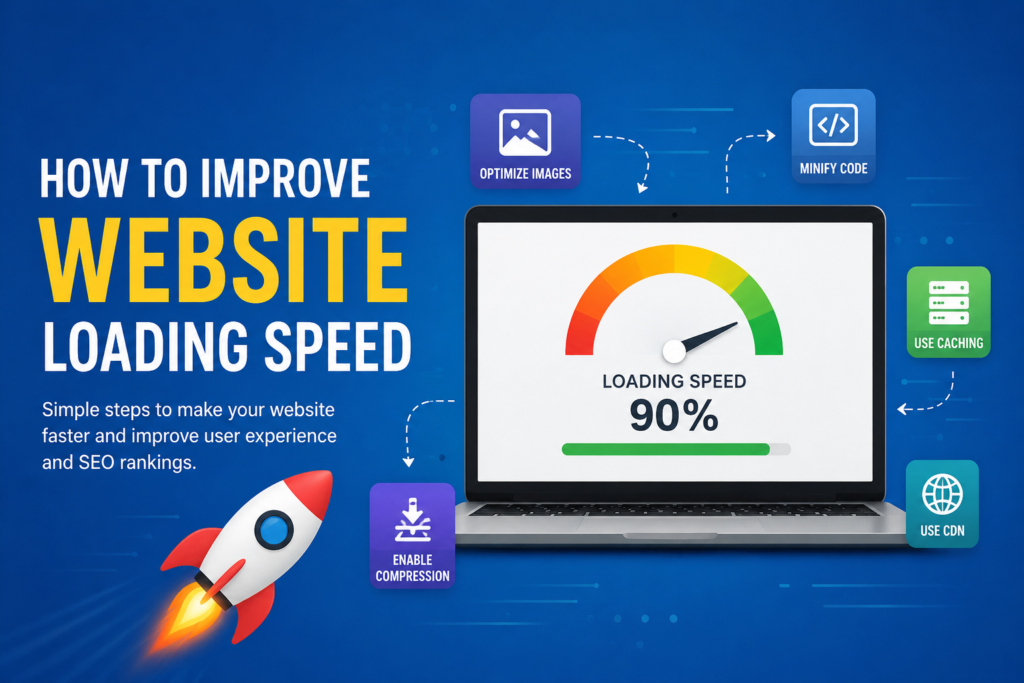
Start with the basics. Test your website, optimize images, choose reliable hosting, use caching, reduce unnecessary scripts, remove unused plugins, consider a CDN, and keep your website mobile friendly.
You do not need to make every optimization at once. In my opinion, it is better to make practical improvements gradually and test the results after each major change.
Website speed is not just about getting a better score in a testing tool. The real goal is to create a website that opens quickly, feels responsive, and allows visitors to find and enjoy your content without unnecessary waiting.
When you focus on real users first, website speed optimization becomes much more meaningful and much easier to maintain.