Related Articles



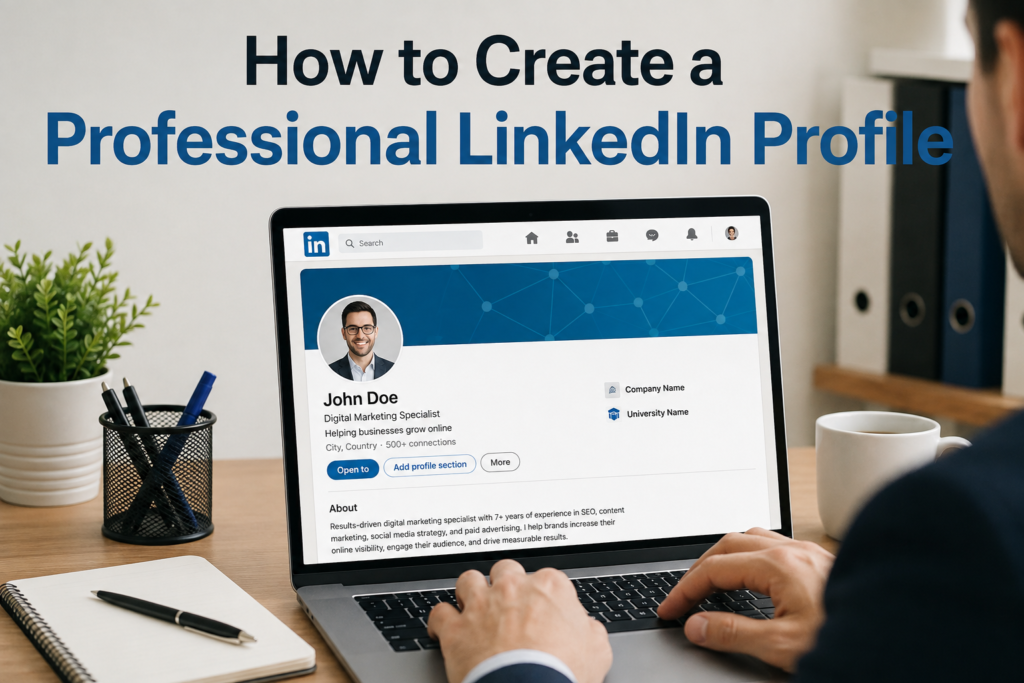
In my opinion, a LinkedIn profile is much more than an online resume. It is your professional introduction to recruiters, employers, clients, business owners, and other people in your industry. Before someone contacts you, they may look at your LinkedIn profile to understand who you are, what you do, and what kind of value you can offer.
That is why learning how to create a professional LinkedIn profile is important for anyone who wants to build a strong professional presence online. You do not need to make your profile complicated. You simply need to present your experience, skills, goals, and personality in a clear and professional way.
I believe a good LinkedIn profile should feel genuine. It should not look like you are trying to impress everyone. Instead, it should clearly explain what you can do and why people should take your professional experience seriously.
Choose a Professional Profile Photo
The first thing people usually notice on a LinkedIn profile is the profile photo. A professional photo can make your profile look more trustworthy and complete.
You do not necessarily need an expensive professional photoshoot. A clear photograph with good lighting, a simple background, and appropriate clothing can work very well. Your face should be easy to see, and the picture should represent how you normally want to appear in a professional environment.
Avoid using group photos, heavily edited pictures, vacation photographs, or images where your face is difficult to recognize. Your LinkedIn profile photo should look natural, confident, and professional.
Write a Strong LinkedIn Headline
Your LinkedIn headline is one of the most important parts of your profile. Many people simply write their job title, but I think you can use this space more effectively.
Instead of writing only “Marketing Manager,” you could write something like “Digital Marketing Manager Helping Businesses Grow Through SEO and Content Strategy.”
A good headline tells people what you do and what you are interested in. It can also include important keywords related to your profession.
Think about the words a recruiter or potential client might use when searching for someone with your skills. Including relevant keywords naturally can make your LinkedIn profile easier to discover.
Create an Engaging About Section
The About section gives you an opportunity to introduce yourself in your own words. This is where I recommend writing naturally instead of copying a formal resume summary.
Start by explaining who you are professionally. Then talk about your experience, skills, interests, and the type of work you enjoy. You can also mention the problems you help solve or the results you try to achieve.
For example, instead of saying, “I am a hardworking professional with excellent communication skills,” explain what you actually do.
You might say that you help small businesses improve their online visibility through content marketing, search engine optimization, and social media strategies.
Keep your writing easy to understand. Short paragraphs are better than large blocks of text because people often scan LinkedIn profiles quickly.
Highlight Your Work Experience
Your work experience should show more than the companies where you have worked. It should explain what you actually accomplished.
When describing a previous position, focus on responsibilities, skills, projects, and results. Whenever possible, use specific examples.
For example, instead of saying, “Managed social media accounts,” you could write, “Managed social media content and campaigns to increase audience engagement and improve brand visibility.”
If you achieved measurable results, include them. Numbers can make your experience more convincing because they give people a clearer idea of your contribution.
However, do not exaggerate your achievements. Your LinkedIn profile should be honest and accurate. In my view, credibility is more valuable than trying to make your experience sound bigger than it really is.
Add Relevant Skills
The Skills section helps demonstrate what you know and what you can do. Add skills that are genuinely related to your professional goals.
For example, a digital marketer might include SEO, content marketing, Google Analytics, social media marketing, email marketing, and keyword research.
Avoid adding every skill you have ever used. A focused list is usually more useful than a long list of unrelated abilities.
Think about the type of job or opportunity you want in the future. Then choose skills that support that direction.
If your goal is to become a project manager, for example, skills such as project management, communication, leadership, planning, problem solving, and team management may be more useful than unrelated technical skills.
Include Your Education
Your education section does not have to be complicated. Add your degree, school or university, field of study, and relevant dates when appropriate.
If you are a recent graduate with limited work experience, you can make this section more valuable by mentioning relevant projects, achievements, activities, or coursework.
Experienced professionals can still benefit from listing their education because it provides additional context about their professional background.
Add Certifications and Courses
Professional certifications can strengthen your LinkedIn profile, especially when they are relevant to your career.
If you have completed courses in areas such as digital marketing, project management, data analysis, technology, communication, or business, consider adding them to your profile.
However, I would not recommend adding certificates simply to make your profile look longer. Choose certifications that demonstrate useful knowledge and support your career direction.
Use Keywords Naturally
Keywords are important when creating a professional LinkedIn profile because recruiters often search for specific skills and job titles.
Think about the terms connected to your profession. If you work in search engine optimization, relevant keywords could include SEO, keyword research, technical SEO, content optimization, link building, and search engine marketing.
Use these words naturally throughout your headline, About section, experience descriptions, and skills section.
The goal is not to fill your profile with keywords. The goal is to make your professional expertise clear while helping the right people understand what you do.
Add a Professional Background Image
Your LinkedIn background image is another opportunity to make your profile look polished.
Choose a clean and simple image that relates to your professional identity. If you work in technology, marketing, finance, design, education, or another industry, your background image can reflect that field.
You can also use a simple design featuring your professional message or areas of expertise. Avoid images that are too busy because they can distract from your profile information.
Build Your Professional Network
Creating a professional LinkedIn profile is only the beginning. You should also build meaningful connections.
Connect with former colleagues, classmates, industry professionals, recruiters, business owners, and people whose work interests you.
I recommend focusing on quality rather than simply trying to collect thousands of connections. A smaller network of relevant professionals can be more useful than a huge list of people you have never interacted with.
When sending connection requests, adding a short personal message can also make the interaction more professional.
Share Useful Content
One of the best ways to make your LinkedIn profile more active is to share useful content.
You can write about lessons you have learned, professional experiences, industry trends, useful resources, successful projects, or practical advice.
You do not have to post every day. Consistency and quality are more important.
For example, if you work in marketing, you could share a lesson from a recent campaign. If you work in technology, you could explain something you recently learned. If you are searching for a job, you could share your professional interests and the skills you are developing.
This helps people understand your knowledge and personality beyond your job title.
Request Recommendations
Recommendations can add credibility to your LinkedIn profile because they allow other professionals to describe their experience working with you.
You can politely ask former colleagues, managers, clients, or business partners for recommendations when you have completed meaningful work together.
A good recommendation should be genuine and specific. It is much more useful when someone explains your strengths, work ethic, communication, leadership, or professional skills through a real experience.
You should also consider giving recommendations to people you have worked with when appropriate. Professional relationships are built through mutual support.
Keep Your Profile Updated
A LinkedIn profile should not be something you create once and forget.
Whenever you learn a new skill, complete an important project, receive a certification, change your position, or achieve a meaningful professional result, update your profile.
I think spending a few minutes reviewing your profile every few months is a good habit. Check your headline, About section, experience, skills, and profile photo to make sure everything still represents you accurately.
An updated profile also shows that you take your professional presence seriously.
Avoid Common LinkedIn Profile Mistakes
There are several mistakes that can make an otherwise good profile look unprofessional.
One common mistake is using spelling or grammar errors. Always review your profile before publishing it.
Another mistake is writing vague statements without providing evidence. Saying that you are “highly motivated” is less powerful than explaining what you have achieved.
Avoid copying large sections of your resume without adapting them for LinkedIn. Your LinkedIn profile should feel more personal and readable.
It is also important to avoid false information. Never add fake experience, skills, qualifications, or achievements simply to make your profile look impressive. Your professional reputation depends on trust.
Final Thoughts
Learning how to create a professional LinkedIn profile is really about learning how to present your professional identity clearly. Your profile should tell people who you are, what you can do, what you have achieved, and where you want to go.
In my opinion, the strongest LinkedIn profiles are not necessarily the ones with the most impressive words. They are the ones that feel authentic, focused, useful, and easy to understand.
Start with a clear profile photo, write a strong headline, create a genuine About section, explain your experience, add relevant skills, and keep your information updated. Then become active by building meaningful connections and sharing useful professional content.
A professional LinkedIn profile can open doors to new opportunities, but it works best when you treat it as an ongoing part of your career rather than simply an online resume. Take time to build it properly, keep it honest, and let your real skills and experience speak for you.