Related Articles
Creating a passport size photo used to mean visiting a photo studio, waiting for the photographer, and paying for several copies. Today, things are much easier. With the right online tool, I can create a passport size photo from my computer or phone in just a few minutes.
I personally find online passport photo tools useful when I need a photo quickly for an application, resume, student form, visa document, ID card, or another official purpose. Most of these tools allow me to upload a normal photo, crop it, resize it, adjust the background, and prepare multiple copies for downloading or printing.
In this article, I will explain the best tools to create passport size photos online, what features to look for, and how to choose the right option for your needs.
What Is an Online Passport Photo Tool?
An online passport photo tool is a website or web based application that helps convert an ordinary portrait into a passport size photograph. Instead of using complicated photo editing software, I can upload my picture and make the required changes directly in my browser.
Many tools provide features such as automatic cropping, photo resizing, background adjustment, face positioning, brightness correction, and printable photo layouts.
The important thing to remember is that passport photo requirements can be different depending on the country and document. Therefore, I always recommend checking the official requirements before downloading or printing the final picture.
Why I Prefer Online Passport Photo Tools
The biggest advantage for me is convenience. I do not have to install large software or visit a photography shop every time I need a simple passport size picture.
Another advantage is that many online tools are beginner friendly. Even if someone has very little experience with photo editing, they can usually upload a photo, follow the instructions, and download the finished result.
Online tools can also save money. Some websites offer free basic features, while others provide affordable premium options. If I need several passport photos, creating them myself can be more convenient than ordering them from a studio.
1. Canva
Canva is one of the most popular online design platforms, and I find it useful for creating simple passport photo layouts. It provides an easy interface with many editing features.
I can upload my portrait, crop it, resize the image, adjust brightness, and create a printable sheet containing several copies of the same photo.
Canva is particularly useful when I already know the required dimensions. Its design interface makes it easy to position photos accurately on a page.
Another useful feature is that Canva works through a web browser, so I can use it without installing complicated editing software.
However, I would still check the official passport or visa photo requirements before printing a Canva design because the correct dimensions and background rules depend on the document.
2. Adobe Express
Adobe Express is another useful option for people who want simple online photo editing. It provides an easy interface for resizing and adjusting images.
I like tools such as Adobe Express because they are designed for people who do not want to learn advanced photo editing techniques. I can upload an image, make basic adjustments, and prepare it for the required size.
The platform can also be useful for improving the appearance of a photo before placing it into a passport photo layout.
For official documents, I recommend avoiding unnecessary filters or dramatic editing. A passport photograph should normally represent your natural appearance.
3. Fotor
Fotor is an online photo editing platform that can be useful for preparing passport size pictures. It includes basic editing options for cropping, resizing, brightness, contrast, and other adjustments.
If my original picture is slightly dark or poorly balanced, I can use basic correction tools before creating the final passport photo.
Fotor can also be useful for people who want a simple interface rather than complicated professional editing software.
One thing I always keep in mind is that improving a photograph is different from changing my appearance. For official documents, I would keep the editing simple and natural.
4. PhotoRoom
PhotoRoom is especially useful when the background of a photograph needs attention. Background removal is one of the features that can make a significant difference when preparing an image.
For example, if I have taken a portrait in front of a distracting background, a background editing tool can help create a cleaner result.
The final background should follow the requirements of the document I am applying for. I would not assume that every application accepts the same background color or style.
PhotoRoom can also be helpful for other image editing tasks, making it a practical tool to keep available.
5. Cutout.Pro
Cutout.Pro is another online platform that provides background removal and image editing features. It can be useful when I need to separate a person from the original background.
The process is generally straightforward. I upload the photo, allow the tool to process the image, and then make further adjustments if necessary.
This type of tool can be particularly useful when the original photograph has a simple subject but an unsuitable background.
Before using the final image for an official document, I would carefully inspect the edges around the hair, shoulders, and face. Automatic background removal can sometimes create small imperfections.
6. Passport Photo Online Tools
There are also websites specifically designed for passport and ID photos. These tools can be convenient because they focus directly on the requirements associated with identification photographs.
A dedicated passport photo tool may provide automatic cropping, face positioning, background adjustment, and country specific templates.
I find these tools useful when I do not want to manually calculate image dimensions. Some can guide the user through the process and create a printable sheet with multiple copies.
Still, I recommend checking the website’s information carefully and comparing the final requirements with the official government or embassy instructions.
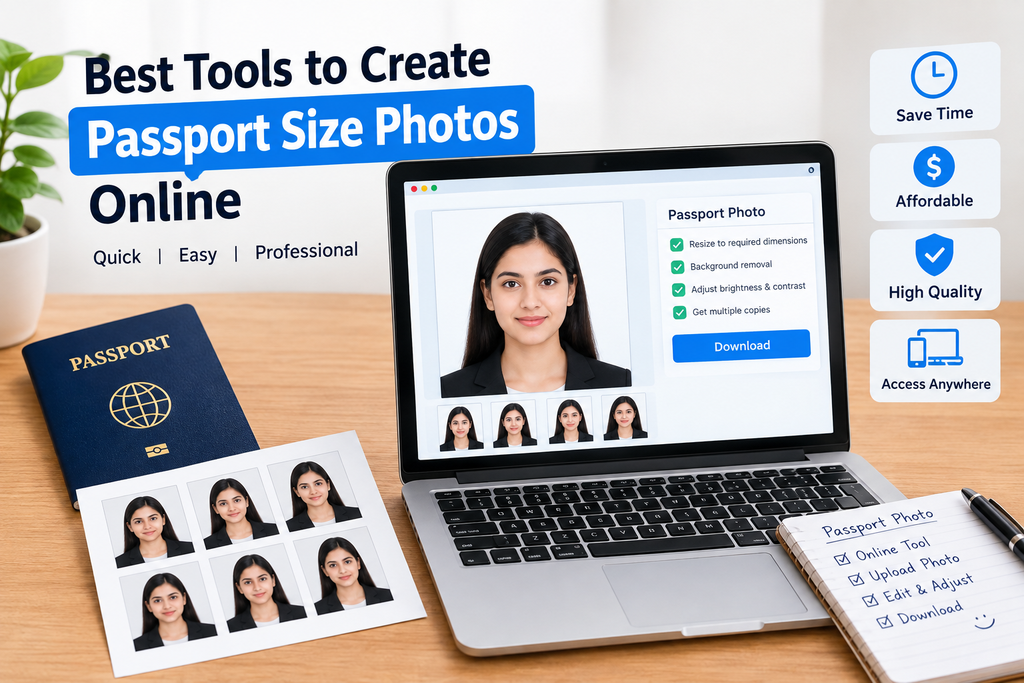
Features I Look For in a Passport Photo Tool
When I choose an online passport photo maker, I do not only look at whether it can resize a picture. I also check several other features.
First, I look for accurate cropping and resizing. The tool should allow me to create the correct dimensions required for my application.
Second, I look at background editing. A clean and appropriate background can be important for many official photographs.
Third, I check whether the tool maintains good image quality. A picture that becomes blurry after resizing may not be suitable for printing.
I also prefer tools that provide a preview before downloading. A preview allows me to check the face position, crop, background, and overall appearance.
Finally, I consider privacy. Since a passport photo contains a person’s face, I prefer using reputable websites and checking how uploaded images are handled.
How to Create a Passport Size Photo Online
The process is usually simple.
First, I choose a clear portrait photograph. A photo taken in good lighting generally produces better results.
Next, I upload the picture to the selected online tool. I then choose the required passport or ID photo dimensions.
After that, I adjust the crop so that my face and shoulders are positioned correctly. If necessary, I use background removal or correction features.
I then preview the final image carefully. I check whether the face is clear, the background looks appropriate, and the picture follows the required format.
Finally, I download the image or printable sheet.
Tips for Taking a Better Passport Photo
The quality of the original photograph matters more than many people realize. I prefer taking a photo in front of a clean background with enough natural or balanced lighting.
The face should be clearly visible. I avoid strong shadows, extreme expressions, sunglasses, and anything else that could conflict with the official requirements.
I also keep the camera at approximately eye level. Looking directly toward the camera usually makes the final photograph easier to crop.
Another useful tip is to leave enough space around the head and shoulders. If the original photo is too tightly cropped, an online tool may have difficulty creating the correct composition.
Are Free Passport Photo Tools Good Enough?
For basic needs, free tools can be perfectly useful. If I only need to resize, crop, or arrange a photograph, I may not need a paid application.
However, some advanced features can be limited in free versions. Background removal, high resolution downloads, or certain templates may require payment.
I recommend starting with a free option and checking whether it provides everything needed. There is no reason to pay for advanced features if a simple tool can complete the task.
Common Mistakes to Avoid
One common mistake is using the wrong dimensions. Passport photo requirements are not universal, so I always verify the exact size before preparing the final image.
Another mistake is using excessive editing. An official photograph should look natural and recognizable.
Poor lighting can also create problems. If the original picture has heavy shadows or an unclear face, resizing it will not automatically fix the underlying issue.
I also avoid downloading a photo without checking the final result. A quick preview can help identify cropping or background problems before printing.
Final Thoughts
The best tools to create passport size photos online are the ones that make the process simple while helping you meet the required photo specifications. Canva, Adobe Express, Fotor, PhotoRoom, Cutout.Pro, and dedicated passport photo websites can all be useful depending on what you need.
From my point of view, the most important thing is not simply choosing a popular tool. It is choosing a tool that provides the correct dimensions, good image quality, suitable background options, and an easy editing process.
Before submitting the final photograph, I would always check the official requirements for the passport, visa, ID card, application, or other document. A photo can look perfect on the screen but still be rejected if it does not follow the required specifications.
With a clear original picture and the right online photo tool, creating a passport size photo can be a quick and affordable task. For many everyday applications, there is no need to use complicated professional software when a simple online solution can do the job.