Related Articles


Changing the background color of an image used to feel like a job that required advanced photo editing software. I remember that even simple background changes could take time when I had to select an object carefully, remove the original background, and then add a new color. Today, things are much easier because several free online tools can help change an image background color directly from a web browser.
The best part is that you do not always need professional editing experience. Most online background changer tools use automatic technology to detect the main subject and separate it from the background. After that, you can choose a new color, adjust the image, and download the result.
In this article, I will explain some useful types of free online tools to change image background color, how they work, what features to look for, and how you can get better results.
Why Change the Background Color of an Image?
There are many reasons why someone may want to change the background color of a photo. From my experience, the most common reason is to make an image look cleaner and more professional.
For example, a product photo with a simple white background can look much better on an online store. Similarly, a profile photo may look more suitable with a light blue, gray, or another simple background.
Students can also use background color changer tools for school projects and presentations. Bloggers and website owners may use them to create consistent images for articles. Social media users can change background colors to match a particular theme.
Another benefit is that changing the background color can help the main subject stand out. A simple background often makes the person or object easier to see.
How Free Online Background Color Tools Work
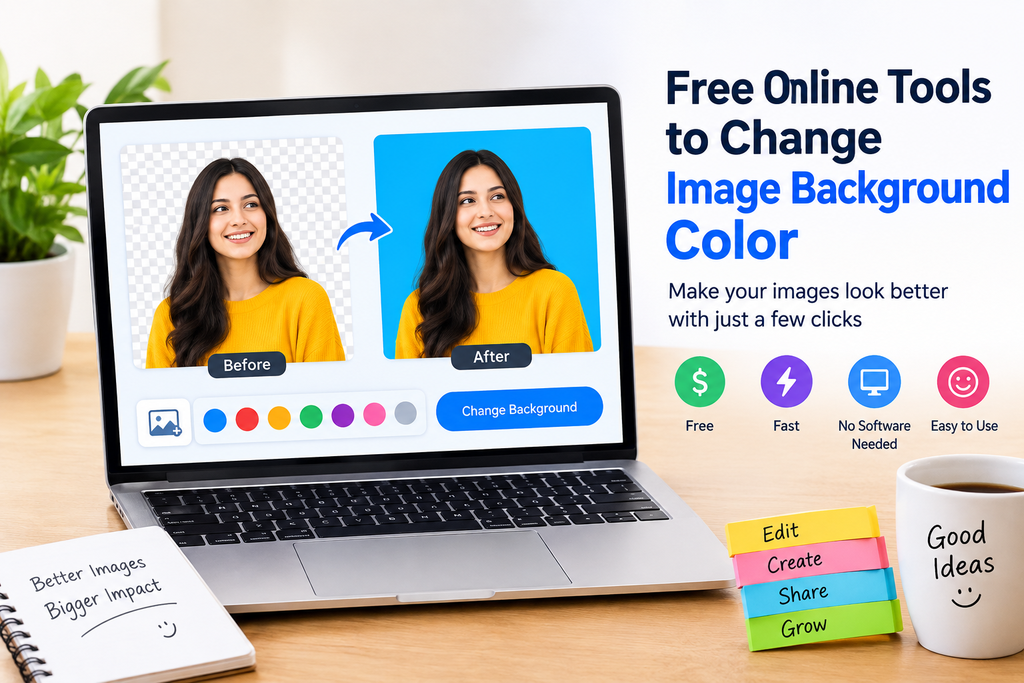
Most free online background color changer tools follow a fairly simple process. You first upload an image to the website. The tool then analyzes the picture and identifies the main subject.
In many cases, artificial intelligence is used to detect people, products, animals, and other objects. The original background can then be removed automatically.
Once the background has been removed, you can select a new color. Some tools provide basic color choices, while others allow you to enter a custom color code.
After making the changes, you can preview the image and download it.
The exact process is different from one website to another, but the basic idea remains the same. Upload, remove the background, select a color, and download.
Features I Look For in a Free Background Changer
When I try an online image editing tool, I usually look at a few important features before deciding whether it is useful.
The first thing I check is how accurately the tool removes the original background. A tool may be free, but if it removes parts of the subject or leaves unwanted areas behind, it can become frustrating.
I also look at the available background colors. Basic colors such as white, black, blue, green, gray, and red are useful for many projects. A custom color selector is even better because it gives more control.
Another important feature is image quality. Some free tools reduce the resolution when downloading an edited image. If you are preparing images for a website, social media page, or product listing, maintaining good quality is important.
I also prefer tools with a simple interface. There is no reason to use a complicated editor when the goal is only to change the background color.
Free Online Tools to Change Image Background Color
There are several types of online tools available for this purpose. Some are dedicated background removal services, while others are complete online photo editors.
Background Removal Tools
Background removal websites are often the easiest option for beginners. They usually detect the subject automatically and remove the original background.
After removing the background, some services let you place the subject over a solid color background. This is useful when you want a quick result without learning complicated editing techniques.
These tools are particularly helpful for product images, profile pictures, portraits, and simple graphics.
Online Photo Editors
Online photo editors provide more control than basic background removal tools. Instead of only changing the background, you can also crop the image, adjust brightness, change contrast, add text, and make other edits.
If you regularly work with images, an online photo editor can be more useful because several features are available in one place.
The downside is that these editors can sometimes feel more complicated for beginners. If you only want to change the background color, a simple tool may be faster.
AI Background Changer Tools
AI based background changers have become popular because they can automatically recognize the main subject in an image.
I find these tools especially useful when the original background contains many details. Instead of manually selecting every part of the subject, the AI attempts to do the selection automatically.
However, results can vary depending on the image. Hair, transparent objects, thin objects, and complicated edges can sometimes be difficult for automatic tools.
How to Change Image Background Color Online
The process is usually simple, even if you have never edited an image before.
First, choose a reliable online background changer. Look for a tool that clearly explains its free features and download options.
Next, upload your image. For better results, use a clear photo where the main subject is easy to identify.
The tool will usually remove the original background automatically. Check the result carefully before continuing.
After that, select your preferred background color. White is a popular choice for product photos, while soft colors can work well for portraits and social media images.
Preview the final image and check the edges around the subject. If the tool provides an erase or restore option, use it to correct small mistakes.
Finally, download the edited image in the available format.
Tips for Getting Better Results
The quality of your original photo makes a big difference. I recommend starting with an image where the subject has clear edges and reasonable lighting.
Avoid extremely dark photos when possible. If the subject blends into the original background, automatic tools may have difficulty identifying the correct edges.
Another useful tip is to avoid very complicated backgrounds. Although modern AI tools are improving, simple photos usually produce cleaner results.
After changing the background color, always zoom in and inspect the edges. Look around hair, shoulders, hands, clothing, and other detailed areas.
You should also choose a background color that matches the purpose of the image. A bright color may look attractive for social media, but a simple white or gray background may be more suitable for a professional image.
Best Background Colors for Different Images
White is probably the most useful background color because it looks clean and works with many types of images. It is especially common for product photography.
Light gray can create a slightly softer professional appearance. It is useful when pure white feels too bright.
Blue can work well for profile photos, presentations, and creative projects. Different shades of blue can create very different moods.
Green is useful for certain creative designs, although it may not always be suitable for normal product or profile images.
Black can create a strong and elegant appearance, especially when the main subject is bright.
When choosing a color, I recommend thinking about where the image will be used rather than choosing a color simply because it looks attractive.
Are Free Online Tools Safe to Use?
Before uploading personal photos to any website, I recommend checking its privacy policy and terms of service.
This is especially important if the image contains personal information, documents, identification cards, private photographs, or sensitive business material.
For normal public images, online editing tools can be convenient. However, you should still understand how the website handles uploaded files.
I also recommend avoiding websites that make unclear claims about privacy or force you to provide unnecessary personal information.
Free Tools vs Professional Editing Software
For simple background color changes, I usually think free online tools are enough. They are quick, accessible, and do not require installation.
Professional editing software becomes more useful when you need detailed control over selections, layers, shadows, lighting, and other elements.
The choice depends on what you are trying to achieve. If your goal is simply to remove a background and replace it with a solid color, an online tool can save considerable time.
Final Thoughts
Free online tools to change image background color have made basic photo editing much easier. You do not need advanced editing skills or expensive software to create a cleaner looking image.
From my point of view, the most important thing is choosing a tool that provides accurate background removal, good image quality, useful color options, and a simple interface.
For everyday tasks such as editing profile photos, preparing product images, creating blog graphics, or making social media content, a free online background changer can be a very practical solution.
Before downloading your final image, always check the edges and overall quality. A few seconds of checking can make a noticeable difference in the finished result.
If you are just starting with photo editing, I recommend trying a simple free online tool first. Once you understand how background removal and color replacement work, you can explore more advanced editing features when you actually need them.