Related Articles

If you work with photos regularly, you probably know how frustrating it is when an image looks blurry, low quality, or lacks detail. I have faced this problem many times while creating blog posts, social media content, and website graphics. Instead of searching for a better image every time, I started using AI image enhancer tools. After trying different platforms, I realized that these tools can save a lot of time and improve image quality with just a few clicks.
In this article, I will share my personal review of some of the best AI image enhancer tools that I have used. I will explain what I liked, what could be improved, and which tool is suitable for different types of users.
What Are AI Image Enhancer Tools
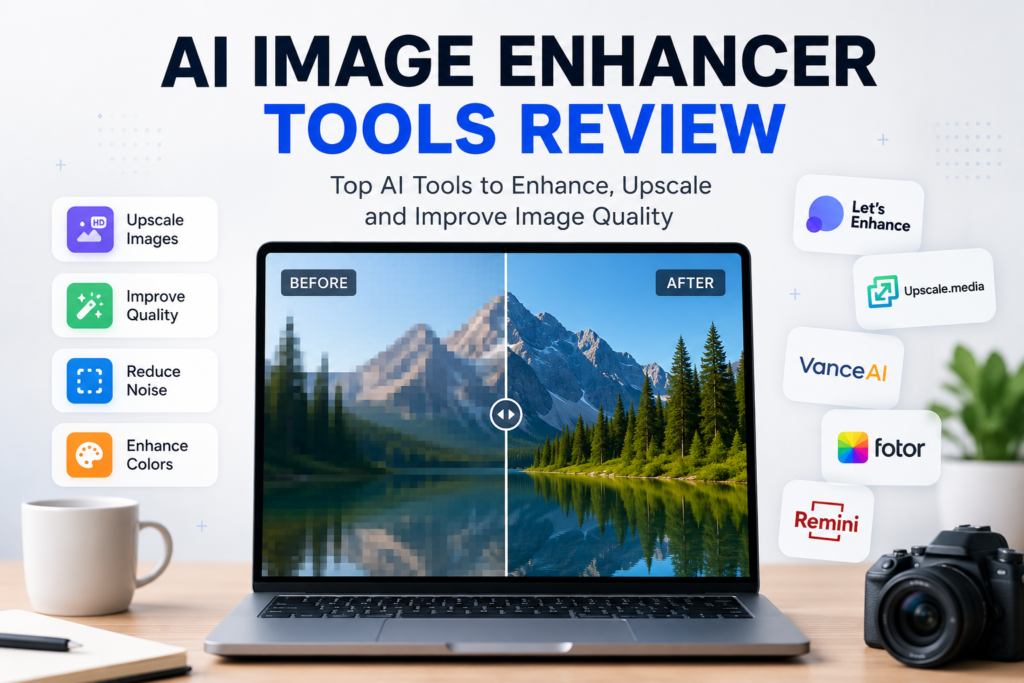
AI image enhancer tools use artificial intelligence to improve the quality of images automatically. They can sharpen blurry photos, remove noise, increase image resolution, improve colors, and even restore old pictures.
The best thing is that you do not need professional editing skills. Most AI tools handle everything automatically, making them perfect for beginners as well as experienced designers.
Why I Started Using AI Image Enhancer Tools
I create content for websites and blogs, so I often need high quality images. Sometimes the available images are too small or not clear enough for professional use. Editing them manually in traditional software takes time and requires experience.
When I started using AI image enhancers, I noticed a huge difference. Within seconds, my images looked sharper, brighter, and more professional. It also reduced my editing workload significantly.
Top AI Image Enhancer Tools Review
Let’s Enhance
Let’s Enhance was one of the first AI image enhancement tools I tried. The interface is clean and very easy to understand.
The tool performs well when increasing image resolution without making the photo look artificial. I especially liked how it improved product images for online stores.
Pros
Easy to use
Good color correction
Excellent image upscaling
Works well for ecommerce photos
Cons
The free version has limited credits
Processing large images can take a little longer
Overall Rating
9 out of 10
Upscale.media
Upscale.media is another impressive AI image enhancer that focuses mainly on image upscaling. I found it perfect for bloggers and content creators who need quick improvements.
The upload process is simple, and the enhanced image is usually ready within a few seconds.
Pros
Fast processing
Simple interface
Supports multiple image formats
No editing experience required
Cons
Limited advanced editing features
Free usage has restrictions
Overall Rating
8.5 out of 10
VanceAI Image Enhancer
VanceAI offers multiple AI powered editing features besides image enhancement. It can sharpen images, reduce noise, remove blur, and upscale photos.
I liked the flexibility because everything is available in one platform.
Pros
Multiple AI editing tools
Good image quality
Suitable for photographers
Regular updates
Cons
Some premium features require payment
Large files may take extra processing time
Overall Rating
9 out of 10
Fotor AI Enhancer
Fotor has been popular as an online photo editor for years, and its AI image enhancer is equally useful.
I found it especially helpful for social media graphics because it improves colors and overall appearance automatically.
Pros
Beginner friendly
Fast editing
Includes many additional editing features
Works directly in the browser
Cons
Advertisements in the free version
Some export options are premium only
Overall Rating
8.8 out of 10
Remini
Remini is one of my favorite AI image enhancement apps for restoring old or blurry portraits.
Whenever I tested old family photos, the improvement was noticeable. Faces became sharper, and details that were barely visible appeared much clearer.
Pros
Excellent portrait enhancement
Perfect for old photos
Available on mobile devices
Very easy to use
Cons
Free version includes advertisements
Limited free daily enhancements
Overall Rating
9.5 out of 10
Which AI Image Enhancer Is Best
After testing several tools, I believe there is no single winner for everyone because each tool serves different needs.
If you need professional image upscaling, Let’s Enhance is an excellent choice.
If speed is your priority, Upscale.media performs really well.
For photographers who want multiple editing options, VanceAI offers the most complete package.
If you create social media content, Fotor provides both enhancement and editing tools together.
For restoring old portraits or selfies, Remini easily becomes my first recommendation.
Features I Always Look For
Whenever I test a new AI image enhancer, I pay attention to several important features.
The first is image quality. The enhanced image should look natural instead of overly processed.
The second is speed. Nobody wants to wait several minutes for one image.
The third is ease of use. A clean interface saves time and reduces confusion.
The fourth is pricing. Many AI tools are useful even with free plans, but premium versions usually unlock higher quality downloads.
Finally, I look for file format support because different projects require different image types.
Are Free AI Image Enhancers Good Enough
Many people ask whether free AI image enhancers are worth using.
From my experience, the answer is yes for basic tasks.
If you only enhance a few images every week, free versions are usually enough. They provide good quality for blogs, presentations, and social media posts.
However, if you work professionally or manage multiple client projects, investing in a premium plan makes sense because you get higher resolution downloads, faster processing, and additional editing features.
Things I Did Not Like
Although AI image enhancers are very helpful, they are not perfect.
Some tools make faces look unnatural if the original image is extremely blurry.
A few platforms also reduce image quality after downloading from the free version.
Another common limitation is the daily usage limit, which can be frustrating when working on large projects.
Despite these issues, AI image enhancement technology continues to improve every year.
Who Should Use AI Image Enhancer Tools
I believe these tools are useful for almost everyone.
Bloggers can improve article images.
Graphic designers can save editing time.
Students can enhance project visuals.
Photographers can restore old pictures.
Social media creators can make their posts look more professional.
Online store owners can improve product images without hiring professional editors.
Even casual users can restore old family photos with impressive results.
My Final Opinion
After spending considerable time testing different AI image enhancer tools, I can confidently say that they have changed the way I edit images. Tasks that once required expensive software and advanced editing skills can now be completed in just a few clicks.
Every tool has its own strengths, so choosing the right one depends on your specific needs. Personally, I enjoy using Remini for portrait enhancement, Let’s Enhance for image upscaling, and Fotor for quick online editing.
If you are just getting started, I recommend trying the free versions of several tools before purchasing any premium subscription. This helps you understand which interface, features, and image quality match your workflow.
Artificial intelligence is making photo editing easier than ever, and AI image enhancers are a perfect example of how technology can save time while delivering professional results. Whether you are a beginner or an experienced creator, these tools are definitely worth exploring and can help you produce clearer, sharper, and more attractive images with very little effort.