Related Articles


Introduction
Email is still one of the most important ways to communicate in both personal and professional life. Whether I am writing to a client, applying for a job, contacting a teacher, or sending updates to my team, I always want my email to sound clear and professional. The biggest challenge is that writing a good email takes time. Sometimes I know what I want to say, but I struggle to find the right words.
That is where AI tools for email writing have become incredibly useful. Instead of spending twenty or thirty minutes thinking about every sentence, I can now create a well written email in just a few minutes. These tools help organize ideas, improve grammar, suggest better wording, and make the message easier to understand.
In my experience, AI should never replace personal communication. Instead, it should work as a smart assistant that helps me express my thoughts more effectively. When used correctly, AI tools save time while allowing me to stay authentic.
What Are AI Email Writing Tools
AI email writing tools are applications powered by artificial intelligence that help users write better emails. They understand the purpose of the message and generate content based on simple instructions. Instead of writing everything from scratch, I can enter a short prompt such as “Write a polite follow up email after an interview,” and the tool creates a complete draft within seconds.
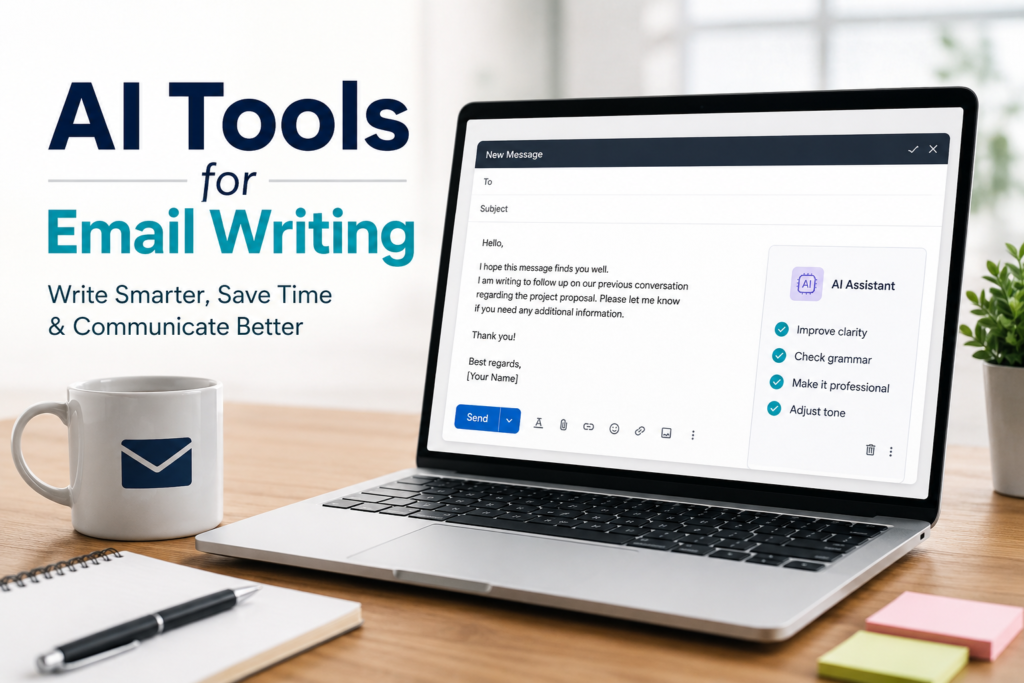
Most modern AI email assistants can also rewrite existing emails, fix grammar mistakes, improve sentence structure, and adjust the tone. Whether I want my email to sound formal, friendly, confident, or professional, these tools make the process much easier.
The best part is that many AI email tools continue learning from language patterns, making their suggestions feel more natural and human over time.
Why I Prefer AI for Email Writing
One of the biggest reasons I like using AI is that it reduces stress. Sometimes I spend more time thinking about how to start an email than actually writing it. AI removes that pressure by giving me a solid first draft.
Another reason is consistency. If I have to send several emails in one day, I want each one to maintain the same level of professionalism. AI helps me keep my communication clear without sounding repetitive.
I also appreciate how quickly these tools work. Instead of proofreading my email multiple times, I can let AI identify grammar mistakes, awkward phrases, and spelling errors before I press the send button.
Common Situations Where AI Helps
I have found AI email writing tools useful in many different situations.
When applying for jobs, AI helps me write professional application emails that sound confident without being too formal.
For business communication, AI assists in creating client proposals, meeting requests, project updates, and follow up messages.
Students can use AI to write respectful emails to professors, request information, or communicate with universities.
Freelancers often send proposals to new clients. AI makes these emails more persuasive while keeping them professional.
Even for personal communication, AI can help create thoughtful birthday wishes, thank you emails, invitations, and apologies.
Popular AI Tools for Email Writing
Many excellent AI tools are available today, each offering different features depending on the user’s needs.
ChatGPT is one of my favorite options because it can generate complete emails from simple instructions. It can also rewrite existing emails and change the tone according to different situations.
Grammarly is another excellent choice. Besides correcting grammar mistakes, it suggests better wording and improves clarity. It even checks whether the email sounds polite or confident.
Google Gemini works well for users who rely on Google Workspace. It integrates with Gmail and helps create email drafts directly inside the email interface.
Microsoft Copilot is useful for people who use Outlook. It can summarize long conversations and generate replies that save valuable time.
Other helpful tools include Jasper AI, Copy.ai, and Writesonic, which offer various templates for business communication and marketing emails.
Each tool has its own strengths, so the best choice depends on individual needs and workflow.
Features That Make AI Email Tools Useful
Modern AI email assistants include several impressive features that improve productivity.
Email generation is the most obvious feature. Users simply describe what they want, and the AI creates a complete email draft.
Grammar correction helps eliminate spelling mistakes and awkward sentences.
Tone adjustment allows the same email to sound formal, casual, friendly, or persuasive.
Summarization helps when reading long email threads by highlighting the most important points.
Reply suggestions generate quick responses for incoming emails, reducing the time spent typing repetitive messages.
Translation features help users communicate with people from different countries without language barriers.
These features work together to make email communication faster and more effective.
Benefits of Using AI Email Writing Tools
The biggest advantage is time saving. Instead of writing every email manually, AI provides a strong starting point that only needs minor editing.
Another benefit is improved confidence. Many people worry about making grammar mistakes or using incorrect words. AI reduces these concerns by reviewing the content before it is sent.
AI also improves professionalism. Well written emails create a positive impression and increase trust between the sender and the recipient.
Productivity also increases because users can focus more on their actual work rather than spending excessive time drafting emails.
For people who are not native English speakers, AI acts as a writing assistant that helps them communicate more naturally.
Things I Always Check Before Sending an AI Written Email
Although AI is impressive, I never send an email without reviewing it first.
I always check whether the information is accurate. AI can sometimes misunderstand instructions or include unnecessary details.
I also make sure the email reflects my own personality. A few personal edits make the message feel genuine rather than machine generated.
Names, dates, meeting times, and company information should always be verified carefully.
Finally, I read the email aloud before sending it. If it sounds natural when spoken, it usually reads naturally as well.
Limitations of AI Email Writing
AI is not perfect. Sometimes it produces responses that sound too generic. If everyone relies completely on AI, many emails begin to look similar.
Another limitation is context. AI may not fully understand company culture, personal relationships, or previous conversations unless enough background information is provided.
Privacy is another important consideration. Sensitive business information should not be shared with AI tools unless users understand the platform’s privacy policies.
Creativity can also be limited. While AI creates excellent drafts, truly personal stories and emotional messages still come from real human experiences.
That is why I see AI as a helpful assistant rather than a replacement for my own thinking.
Tips for Getting Better Results
I have learned that the quality of AI generated emails depends on the instructions I provide.
Instead of writing “Write an email,” I prefer detailed prompts such as “Write a polite follow up email to a client who has not responded in one week.”
Providing context leads to better results.
I also specify the tone I want. For example, I might ask for a professional, friendly, or confident email.
After receiving the draft, I edit it to include personal details that only I know.
The more specific my instructions are, the better the final email becomes.
The Future of AI Email Writing
AI technology continues improving every year. I believe future email assistants will understand personal writing styles even better and automatically adapt to different situations.
Voice commands may become more common, allowing users to describe an email verbally while AI writes it instantly.
Smarter integrations with calendars, customer management systems, and productivity tools will make email communication even more efficient.
Real time language translation and advanced personalization will likely become standard features.
Despite these improvements, I believe human judgment will always remain important because genuine relationships depend on authenticity and trust.
Conclusion
AI tools for email writing have completely changed the way I communicate. They help me write faster, reduce grammar mistakes, improve professionalism, and save valuable time every day. Whether I need to send a business proposal, apply for a job, follow up with a client, or simply write a personal message, AI gives me the confidence to communicate more effectively.
At the same time, I never rely on AI without reviewing the final draft. I believe the best emails combine the speed of artificial intelligence with the personal touch of human experience. AI can create an excellent foundation, but my own ideas, emotions, and judgment make the message meaningful.
As AI continues to evolve, email writing will become even easier. Those who learn how to use these tools wisely will enjoy better communication, higher productivity, and stronger professional relationships while still maintaining their unique voice.