Related Articles
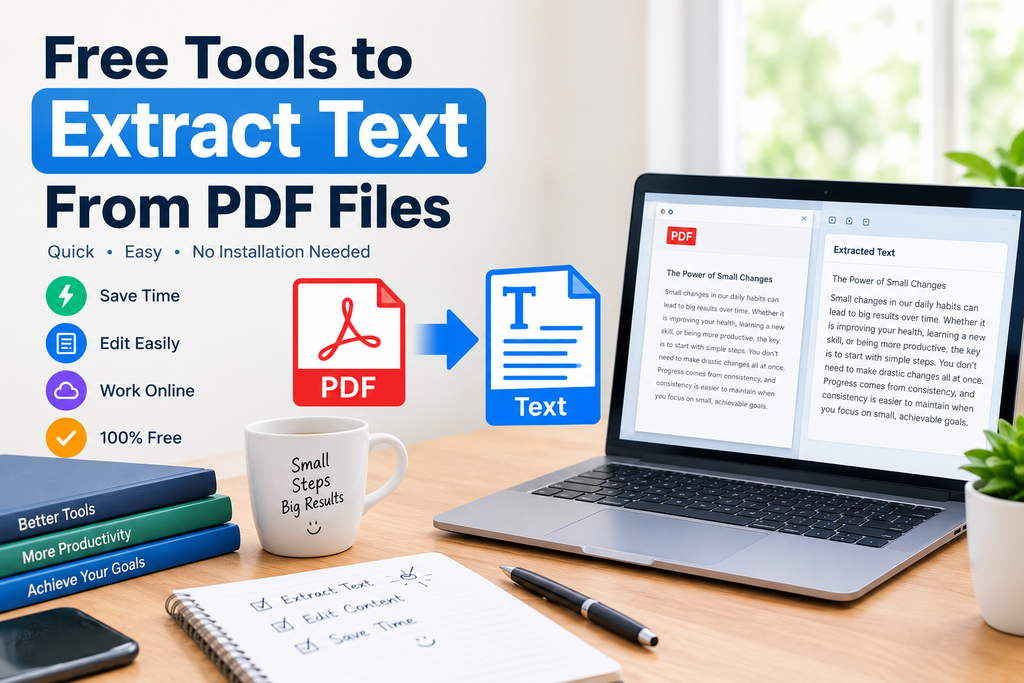
PDF files are one of the most common ways to share documents online. I use PDF files regularly for study materials, reports, forms, ebooks, invoices, and many other types of documents. The problem starts when I need to copy text from a PDF and the text is not easy to select or edit. This is where free tools to extract text from PDF files can save a lot of time.
Instead of typing everything manually, I can upload a PDF to an online tool and extract the text within seconds. Some tools work directly with normal PDF documents, while others can also recognize text from scanned pages using OCR technology.
In this article, I will explain how PDF text extraction tools work, why they are useful, what features I look for, and how beginners can use them easily.
What Is a PDF Text Extraction Tool?
A PDF text extraction tool is an online or desktop utility that takes the written content from a PDF file and converts it into editable or copyable text.
For example, imagine that I have a PDF containing several pages of notes. If I want to use a paragraph from that document in my own notes, manually typing it would take unnecessary time. With a PDF text extractor, I can upload the document, extract the text, and then copy the required information.
The process is particularly useful when working with reports, research documents, digital books, receipts, business documents, and educational materials.
Some tools simply extract existing digital text from a PDF. Others use OCR, which stands for Optical Character Recognition, to recognize text from scanned documents and images.
Why I Use Free PDF Text Extraction Tools
The biggest reason I prefer free PDF text extraction tools is convenience. When I only need to extract text occasionally, I do not necessarily want to install complicated software or purchase an expensive subscription.
A free online PDF text extractor can provide a simple solution. I can open the tool in my browser, upload the file, extract the content, and continue working.
Another advantage is that these tools can save considerable time. Copying text manually from a long document can be frustrating, especially when there are dozens of pages.
For students, writers, researchers, office workers, and freelancers, extracting PDF text can become part of a normal daily workflow.
How to Extract Text From a PDF Online
Most free PDF text extraction tools follow a similar process. I usually look for a tool with a simple interface because I do not want to spend time learning complicated software.
First, I open the PDF text extraction tool.
Next, I upload the PDF file from my computer or device. Some online services may also allow files to be imported from cloud storage.
After uploading the file, I select the option to extract or convert the text.
The tool processes the document and provides the extracted content.
Finally, I copy the text or download it in a supported format.
The entire process can take only a few moments for a small document.
Best Features to Look For
Not every PDF extraction tool works in exactly the same way. When choosing a free tool, I usually pay attention to several important features.
Easy Interface
A simple interface is important, especially for beginners. I prefer tools where the upload button and extraction option are clearly visible.
OCR Support
OCR is one of the most useful features for scanned PDFs. A normal PDF may contain selectable text, but a scanned document is often just an image.
OCR technology analyzes the image and attempts to identify the characters. This makes it possible to extract text from scanned pages.
Multiple File Formats
Some tools allow extracted content to be saved as TXT, DOCX, or other formats. This can make the next stage of editing much easier.
Fast Processing
Speed matters when I am working with several documents. A good tool should process ordinary PDFs without unnecessary delays.
Browser Based Access
I like browser based tools because they do not require software installation. They can usually be accessed from a computer, tablet, or smartphone with an internet connection.
Privacy Information
Before uploading an important document, I always recommend checking the website’s privacy information. PDFs can contain personal, financial, academic, or business information, so users should understand how uploaded files are handled.
PDF Text Extraction for Students
Students often work with lecture notes, textbooks, research papers, assignments, and study guides in PDF format.
A free PDF text extractor can make studying easier. For example, if I have a long research paper and need to find information for my notes, extracting the text allows me to search and organize the content more conveniently.
I can also move important sections into a word processor for personal study notes.
However, I always recommend checking the extracted text against the original PDF. OCR is useful, but it can sometimes misunderstand characters, numbers, symbols, or unusual formatting.
PDF Text Extraction for Work
PDF documents are also common in offices. Businesses frequently use PDFs for reports, invoices, applications, forms, contracts, and presentations.
If I need information from a PDF for another document, extracting the text can reduce repetitive work.
For example, instead of manually retyping information from a report, I can extract the text and then organize the relevant sections.
This does not mean that every document should be processed through an online tool. Sensitive business documents should be handled carefully, and organizations may have specific security requirements.
Extracting Text From Scanned PDFs
One of the most useful applications of PDF text extraction is working with scanned documents.
A scanned PDF is often made from images of physical pages. Because the letters are part of an image, normal copy and paste functions may not work.
This is where OCR based PDF extraction becomes useful.
The OCR system examines the scanned page and identifies shapes that appear to represent letters and numbers. It then creates machine readable text.
The accuracy depends on the quality of the original scan. A clear document with sharp characters is generally easier for OCR software to recognize than a blurry or poorly scanned document.
What Can Affect Extraction Accuracy?
Although free PDF extraction tools can be very helpful, they are not perfect.
The quality of the PDF can make a significant difference. Clear digital documents usually produce better results than low quality scans.
Fonts can also affect accuracy. Unusual fonts, decorative text, handwritten content, and complex layouts may be difficult for OCR systems to recognize.
Tables can be another challenge. A tool may correctly identify the words but change their original positions.
Images, columns, headers, footers, and mathematical symbols can also create formatting problems.
For this reason, I always review extracted text before using it in an important document.
Free Online Tools vs Desktop Software
For occasional tasks, I find online PDF extraction tools convenient because there is usually nothing to install.
Desktop software can be more appropriate for people who work with PDFs regularly or need advanced features. It may also be preferable when documents contain information that should not be uploaded to a third party.
The right choice depends on the type of work. For a quick extraction from a non sensitive PDF, an online tool can be practical. For confidential documents, users should consider the privacy and security requirements before uploading anything.
How to Get Better Results
There are several simple things I do to improve PDF text extraction.
First, I use the highest quality version of the document available.
Second, I check whether the PDF already contains selectable text. If it does, normal extraction may work better than OCR.
Third, I select OCR when working with scanned documents.
Fourth, I review the extracted text afterward.
Finally, I compare important names, numbers, dates, and technical terms with the original PDF.
These small steps can prevent mistakes from making their way into my final document.
Are Free PDF Text Extractors Safe?
Safety depends on the particular tool and how it handles uploaded files. I do not recommend uploading confidential documents to an unfamiliar website without checking its privacy policy and security information.
For ordinary public documents, online tools can be convenient. For sensitive documents such as identification papers, financial records, private business files, or confidential contracts, extra caution is important.
If privacy is a major concern, an offline application may be a better option because the document can remain on the user’s own device.
Common Uses of PDF Text Extraction
There are many situations where extracting text from PDFs can be useful.
Students can extract information from study materials.
Researchers can collect text from academic papers.
Writers can organize information from reference documents.
Office workers can transfer information from reports.
Businesses can process certain documents more efficiently.
Freelancers can work with client provided PDFs.
Teachers can prepare notes from digital resources.
Anyone who frequently works with PDF files can potentially benefit from a reliable text extraction tool.
My Tips for Choosing a Free PDF Text Extractor
When I choose a free PDF text extraction tool, I focus on practical features rather than simply choosing the first result I find.
I look for a clean interface, reasonable processing speed, useful OCR support, understandable privacy information, and an option to copy or download the extracted text.
I also prefer tools that do not make the process unnecessarily complicated.
Most importantly, I test the output. A tool may advertise accurate extraction, but the actual result depends heavily on the document being processed.
Final Thoughts
Free tools to extract text from PDF files can make everyday digital work much easier. Instead of manually typing information from a document, I can often extract the text in just a few steps.
These tools are useful for students, researchers, professionals, writers, teachers, and anyone who works with PDF documents. OCR technology makes them even more useful because it allows text to be recognized from many scanned documents.
At the same time, I believe it is important to review extracted content carefully. Formatting issues and OCR mistakes can happen, especially with complicated layouts or poor quality scans.
For simple and non sensitive documents, a free online PDF text extractor can be a convenient way to save time and make PDF content easier to work with. If I am dealing with private or confidential information, I would first consider the tool’s privacy practices or use an offline solution.
Overall, PDF text extraction is a simple productivity technique that can turn difficult to edit documents into usable text. Once you find a tool that works well with your particular type of PDF, it can become a useful part of your everyday digital toolkit.