Related Articles
If you are serious about growing a YouTube channel, then you already know that a good thumbnail can make a huge difference. Before anyone watches your video, they first notice the thumbnail. Even if your content is amazing, people may ignore it if the thumbnail does not look attractive. That is why I always spend a little extra time creating eye catching thumbnails before publishing any video.
When I first started learning about YouTube, I thought thumbnails were not that important. I believed that good content alone was enough. After uploading several videos, I realized that many people were not clicking on them. Then I changed my thumbnail style and noticed a clear improvement in my click through rate. That experience taught me that thumbnails are one of the most important parts of YouTube success.
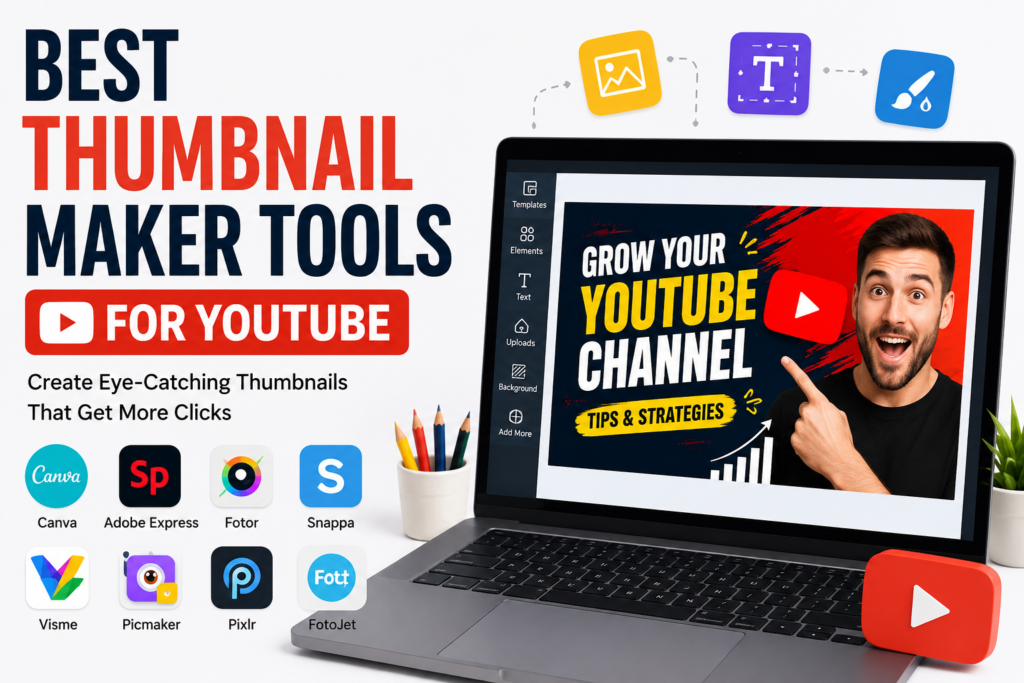
Today there are many thumbnail maker tools available online. Some are completely free while others offer premium features for professional creators. In this article, I will share the best thumbnail maker tools for YouTube based on my experience and research. These tools are easy to use and can help beginners as well as experienced creators.
Why a Good Thumbnail Matters
A thumbnail is like the cover of a book. People often judge your video by looking at it for just a few seconds. If your thumbnail looks clean, colorful, and interesting, viewers are more likely to click on your video.
A high quality thumbnail can increase your video views, improve your click through rate, and help your channel grow faster. That is why successful YouTubers invest time in designing thumbnails that grab attention.
Canva
Canva is one of my favorite thumbnail maker tools because it is simple and beginner friendly. Even if you have never designed anything before, you can create beautiful YouTube thumbnails within minutes.
Canva offers thousands of ready made templates that you can customize with your own text, images, colors, and icons. It also includes a huge collection of fonts and graphics that make your thumbnails look professional.
The free version is enough for most beginners, while Canva Pro gives access to premium templates, background remover, and brand management features.
Adobe Express
Adobe Express is another excellent option for creating YouTube thumbnails. It combines powerful editing tools with an easy interface. I like this tool because it allows me to create modern and professional looking designs without spending too much time.
It provides high quality templates, icons, fonts, and image editing options. Since Adobe is already trusted by professional designers, the quality of its templates is excellent.
The free version includes many useful features, while premium users get access to additional design assets and advanced editing options.
Fotor
Fotor is perfect for creators who want both photo editing and thumbnail design in one platform. I have used Fotor to improve image quality before adding text and graphics.
The tool includes AI powered editing features that automatically enhance photos. It also provides attractive templates that are specially designed for YouTube thumbnails.
Its drag and drop editor makes the design process very easy for beginners.
Snappa
Snappa is another user friendly design platform that helps create professional thumbnails quickly. It comes with pre designed templates that can be customized according to your video topic.
One thing I really like about Snappa is its clean interface. Everything is organized, making it easy to find templates, icons, and images.
It also includes a large library of royalty free photos that save both time and money.
Visme
Visme is often known for presentations, but it is also a great tool for designing YouTube thumbnails. It offers many creative elements that make thumbnails look unique.
You can add shapes, icons, text effects, and animations during the design process. Although animations are not used in YouTube thumbnails, the creative editing features help produce attractive static images.
The platform is suitable for content creators who want more customization options.
Picmaker
Picmaker is specially built for creating thumbnails and social media graphics. I found it useful because it provides AI based design suggestions.
If you are not sure about color combinations or layout, the AI assistant offers recommendations that improve the overall appearance of your thumbnail.
The ready made templates are modern and suitable for gaming, education, technology, travel, and many other YouTube categories.
Pixlr
Pixlr is an excellent browser based editor that works without installing any software. It combines photo editing and graphic design features in one place.
I often recommend Pixlr to people who want advanced editing tools without learning complicated software like Photoshop.
The platform supports layers, filters, text editing, and image effects that help create professional thumbnails.
FotoJet
FotoJet is another easy to use online thumbnail maker. It offers hundreds of templates designed specifically for YouTube creators.
The drag and drop editor is simple enough for beginners while still providing enough customization for experienced users.
You can change fonts, colors, backgrounds, and images with only a few clicks.
Tips for Creating Better YouTube Thumbnails
No matter which tool you choose, your thumbnail should always remain simple and clear. Avoid adding too much text because it becomes difficult to read on mobile devices.
Use bright colors that create contrast and immediately catch attention. Faces with clear expressions often perform better because they create an emotional connection with viewers.
Choose readable fonts and make sure the main text is large enough to be understood even on smaller screens.
Always use high resolution images because blurry thumbnails look unprofessional. Keeping your thumbnail style consistent also helps build your channel’s identity over time.
Which Thumbnail Maker Should You Choose
If I had to recommend just one tool for beginners, I would choose Canva because it offers an excellent balance between simplicity and professional quality.
For creators who need advanced editing features, Adobe Express and Pixlr are strong choices. If you prefer AI powered design assistance, Picmaker is worth trying. Fotor is a great option if you also want powerful photo enhancement tools.
The best tool ultimately depends on your personal workflow, budget, and design preferences. I suggest trying a few free versions before deciding which one fits your needs.
Final Thoughts
A great thumbnail is one of the easiest ways to improve your YouTube performance. It attracts viewers, increases clicks, and gives your content a professional appearance. Fortunately, you do not need expensive software or advanced design skills to create amazing thumbnails.
Whether you choose Canva, Adobe Express, Fotor, Snappa, Visme, Picmaker, Pixlr, or FotoJet, each platform offers valuable features that can help you design attractive thumbnails. My advice is to practice regularly, experiment with different styles, and pay attention to what your audience likes. Over time, you will develop a unique thumbnail style that makes your videos stand out and encourages more people to click and watch.